Introduction
Just load projects created with Eplan solutions into eManage and share them with other users or teams. Define time periods in which the project are to be shared and also specify which rights a user or team receives for a project. This way you can determine who apart from you can download projects, edit them and upload them again in a more current version. Folders allow you to structure and sort your storage in eManage to keep an overview at all times.
Supported file formats
Projects which are managed in eManage, must be located in the format of a backup file *.zw1.
Maximum project size
Currently projects with a maximum size of 2 GB can be uploaded.
Storage capacity
You can view the storage capacity of your organization in My Settings > Organizations.
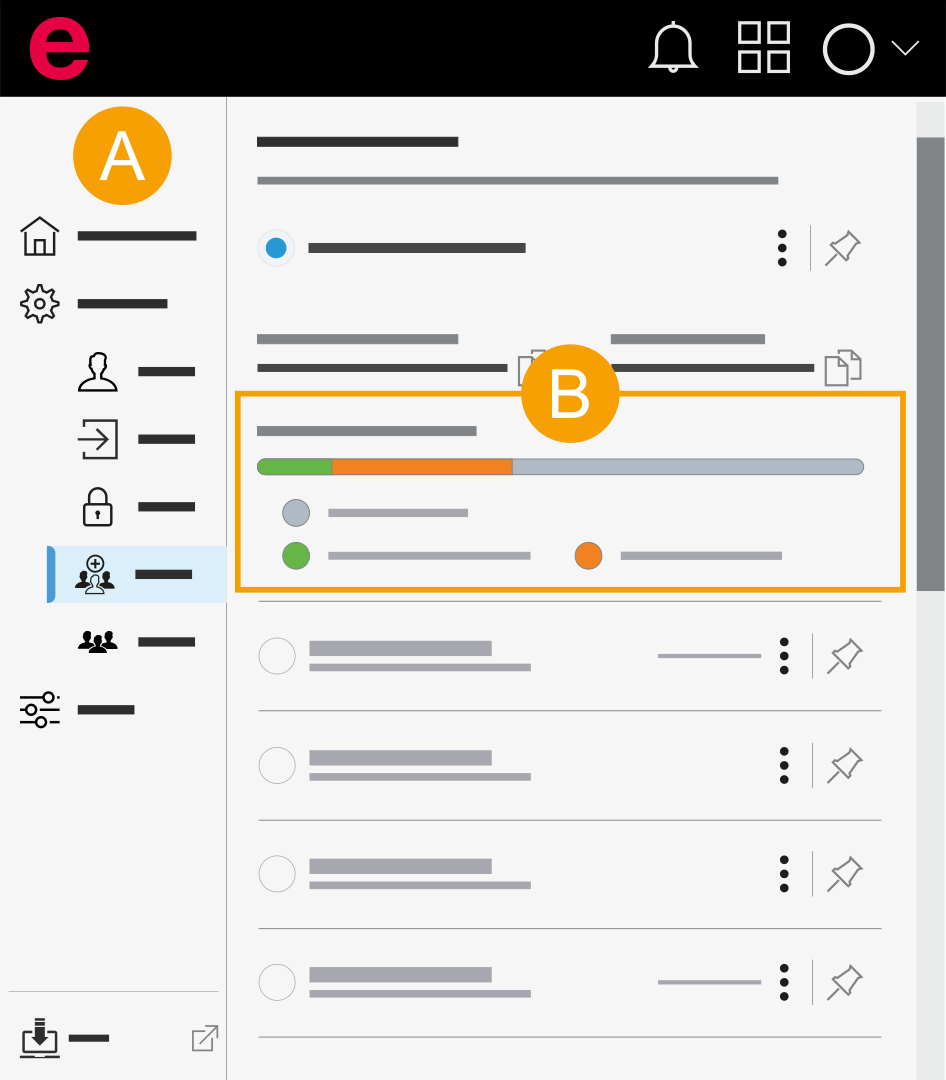
- My settings > Organizations
- Company organization/organization storage information: Here you can see how much storage capacity is available to the organization and how much storage each cloud product uses.
Projects in eManage and eView
Note
Projects which you add in eView are automatically uploaded as a backup file into eManage, see Add project. If you share projects with users or teams in eView, these projects are also shared with these users or these teams in eManage.