Test demo version
To test the demo version of eView Free AR, you need:
- A mobile device with camera function
- Eplan ID
- Membership in the Eplan Community organization
You are not a member of the Eplan Community? The section below shows you how to join the Eplan Community.
Scan QR code

- Scan the QR code to install the Vuforia View app.
- Scan the QR code again to enter the demo project.
 Becoming a member of the Eplan Community
In the Eplan Community you have access to demo products, extras and free products.
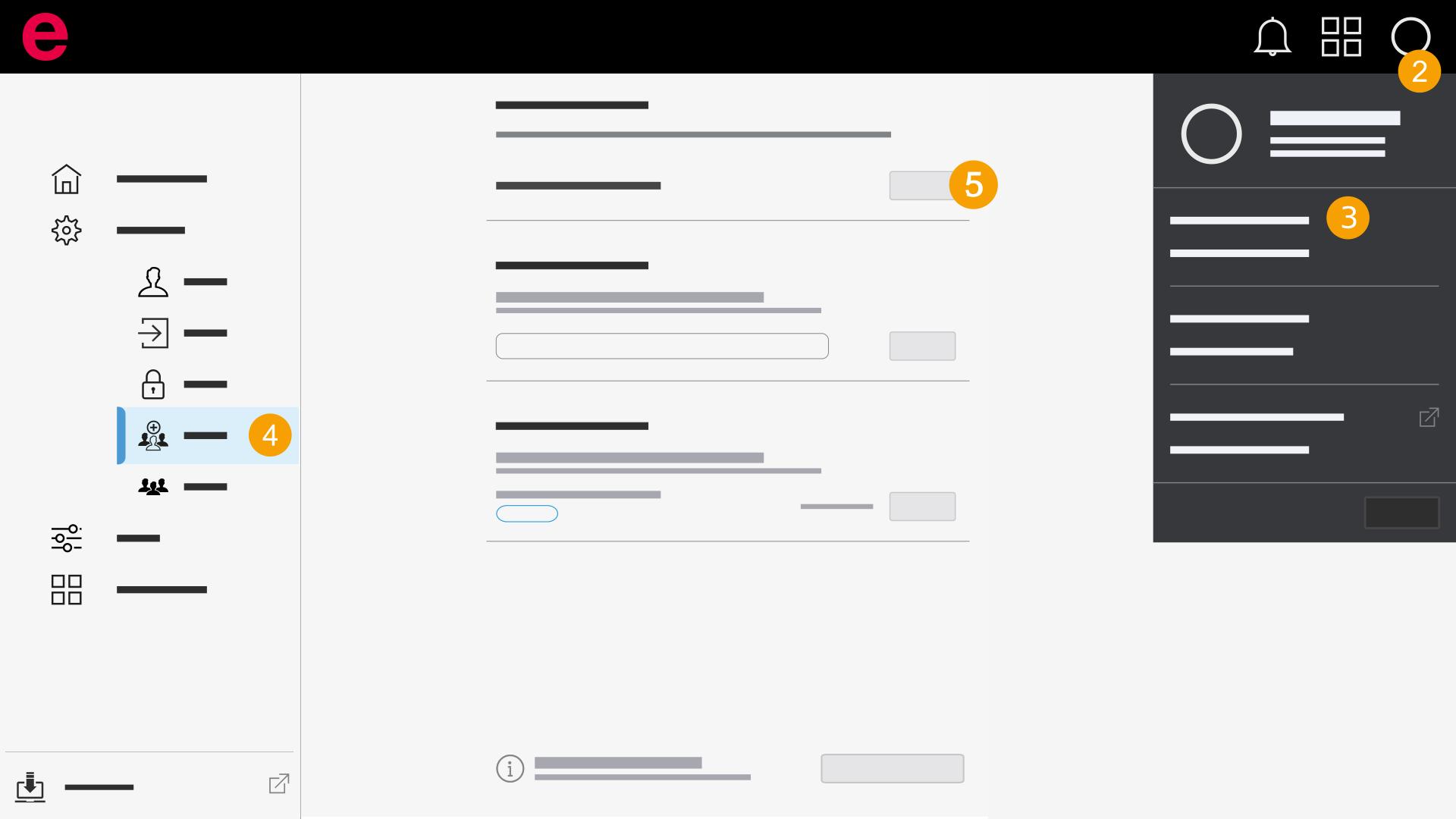
- Sign in to the Eplan Cloud.
- Open the Cloud menu.
- Click My Settings.
- Click Organizations in the navigation bar.
- In the "Invitations" section, click Join next to the "Eplan Community" organization.
- Scan the QR code above to try the demo version.
You are now a member of the organization.