Open and use Macro Viewer
This functionality is available to you in the installed Eplan solution and in the browser.
Prerequisites:
- You have selected the Eplan Data Portal.
- The searched part has the feature 2D graphic data
 or 3D graphic data
  .
.
 Open Macro Viewer
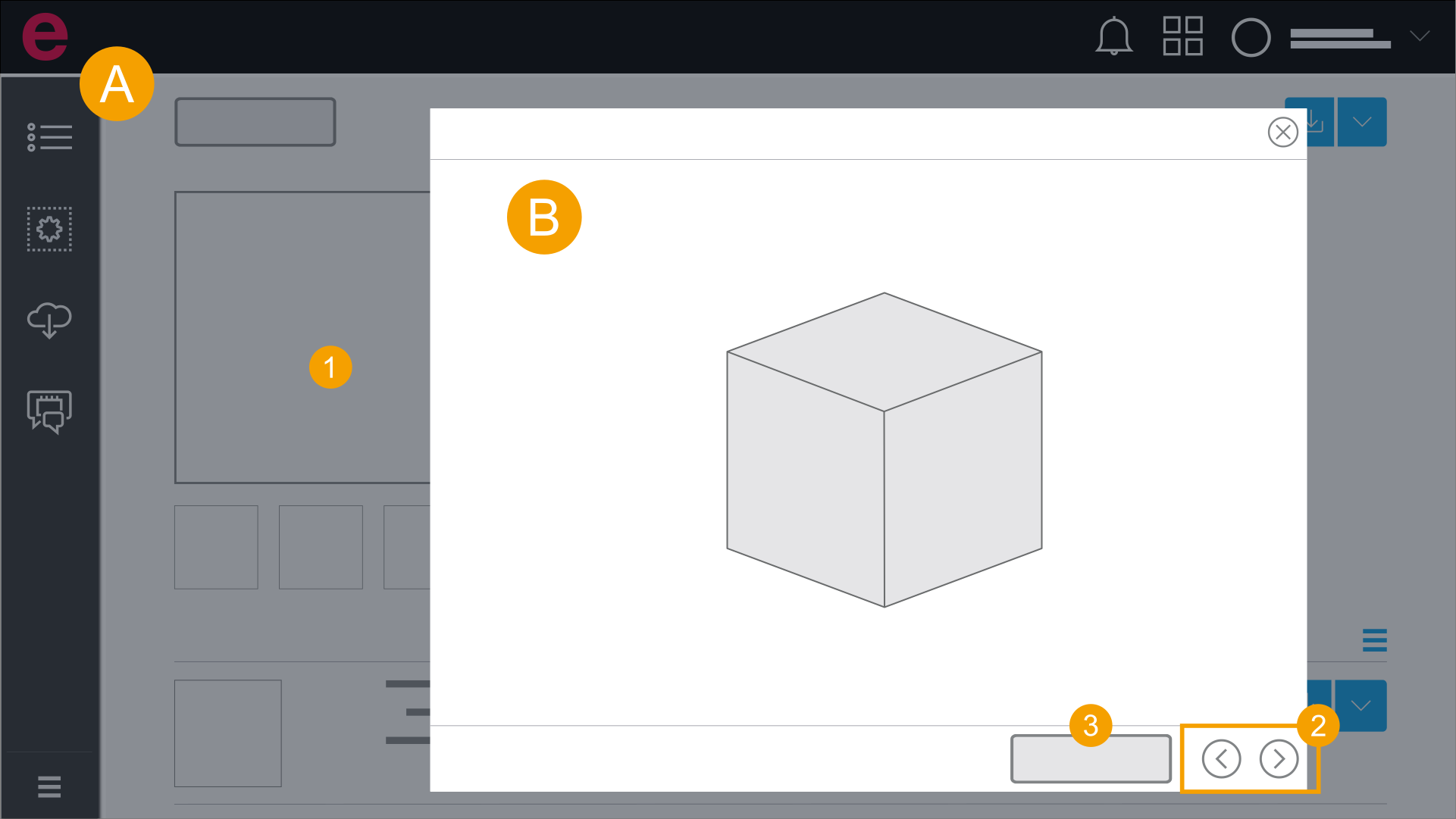
- Detail view
- Macro Viewer
- Open the detail view and click the preview image. (Open detail view)
- Navigate to the 2D view/3D view.
- Click 3D viewpoint.
The macro viewer is opened.
3D view is opened.
Use Macro Viewer
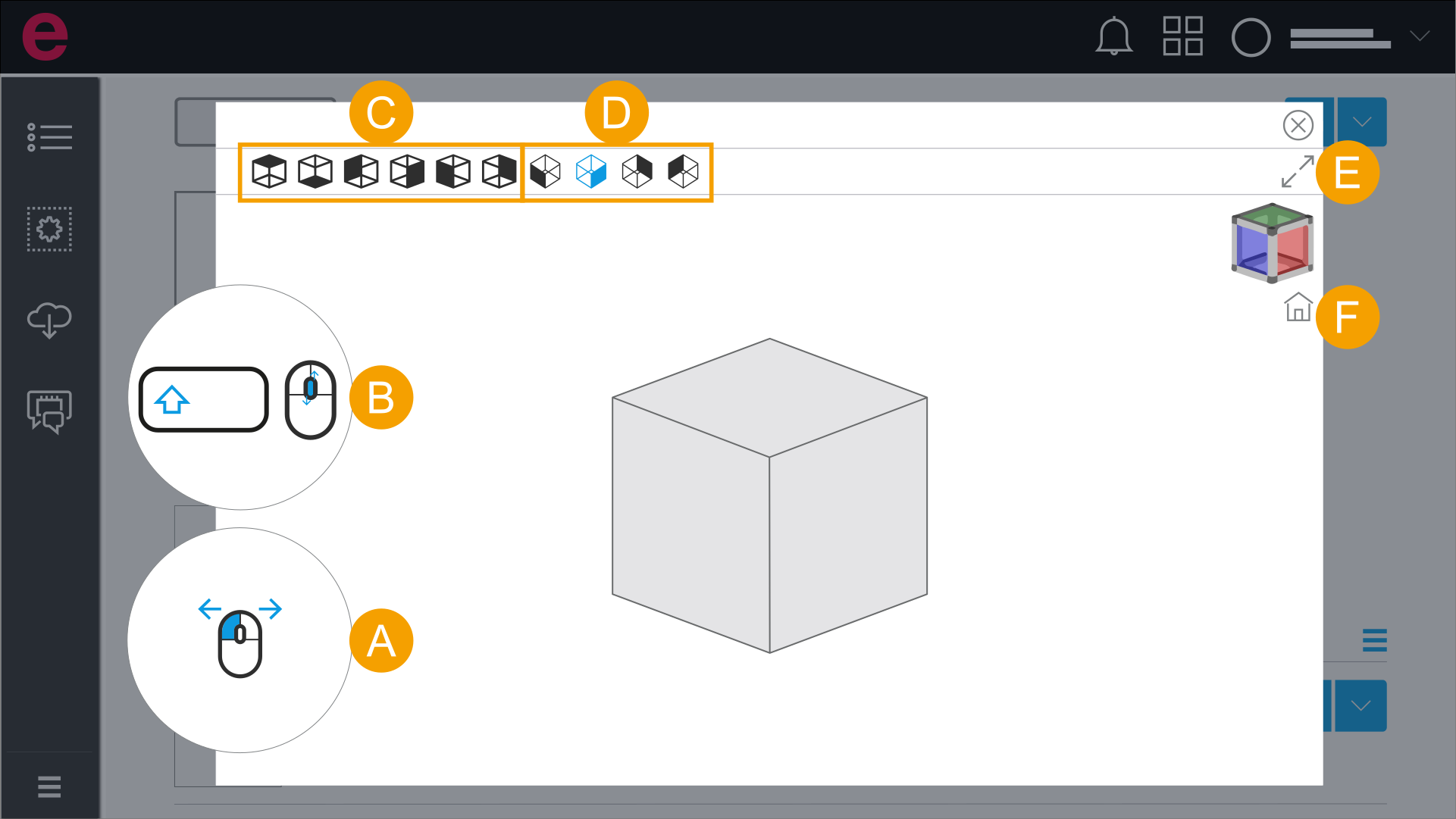
Click the drop-down list and select one of the following possibilities:
- Free rotation: Left-click the screen, hold down the mouse button and move the mouse pointer.
- Zoom: Hold down the Shift key and rotate the mouse wheel.
- 3D viewpoints: Select a viewpoint.
- Isometric perspectives: Select a perspective.
- Full screen mode: Click the icon and enter full screen mode.
- Standard view: Click the icon and switch back to the standard view.