Edit library settings
This functionality is only available in Eplan Electric P8.
This functionality is only available with the "Designer" role, see Roles.
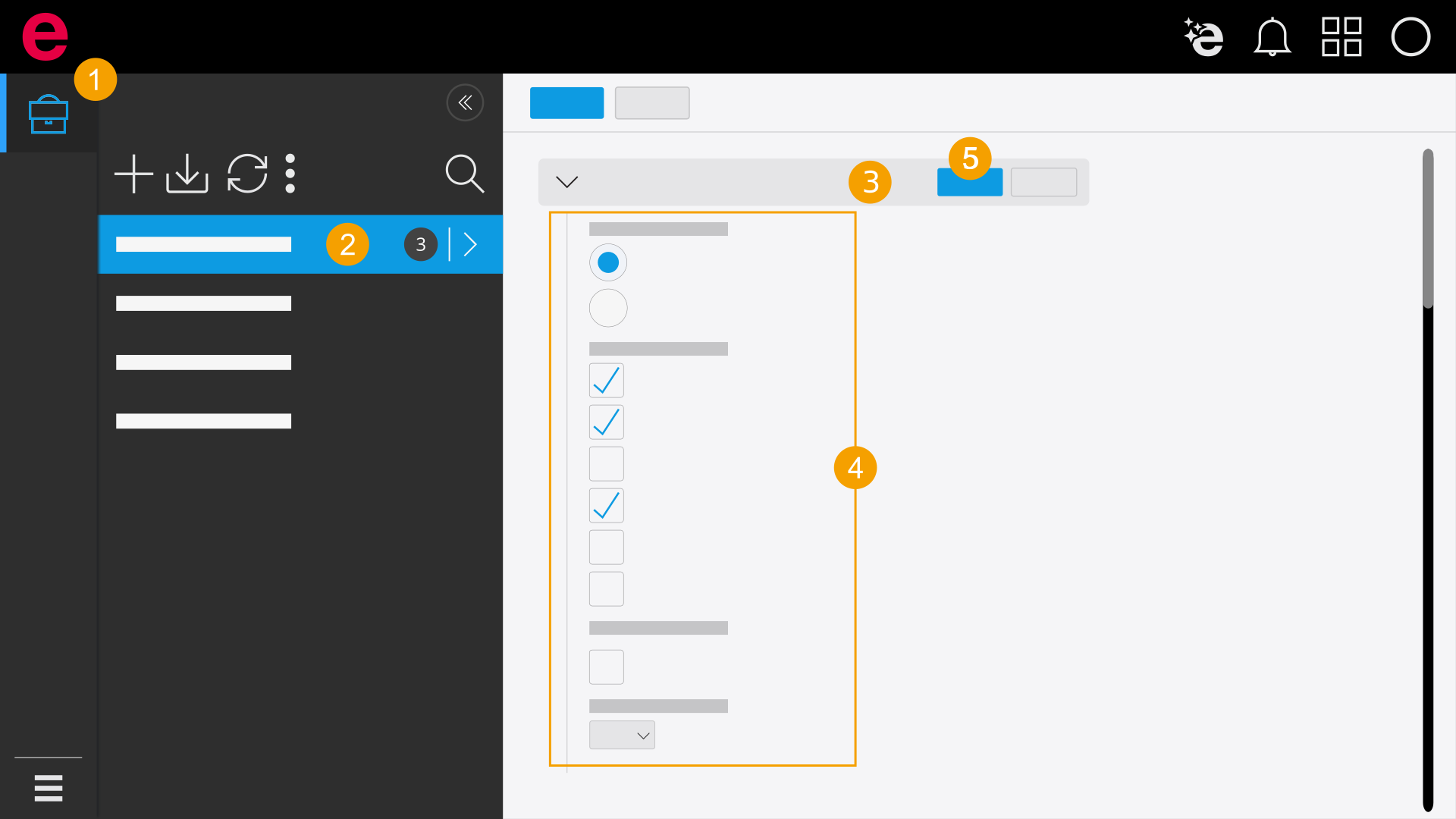
- Click Libraries in the navigation bar.
- Select a library in the selection area.
- Click the
 icon in the Settings drop-down list in the working section.
 - Specify the settings. You have the following options:
- Measuring unit: Specify the measuring unit.
- Structure variables: Specify which structure identifiers for macro are available.
- Ladder logic: Select the check box if you want to generate a project documentation that conforms to US standards.
- Language: Select the library languages.
- Click Save.
- The changes are saved.
If you want to use "inch" as the measuring unit, all elements of your library must correspond to this unit. Otherwise the positions in the schematic cannot be calculated.
German, English and Dutch are selected as library languages by default. The language selection can be adapted at any time. If you create a library on the basis of a macro project in Eplan Electric P8, all language specifications of the macro project are applied for the library.