Delete script from a Script Typical
This functionality is only available to you in the installed Eplan solution.
This functionality is only available with the "Designer" role, see Roles.
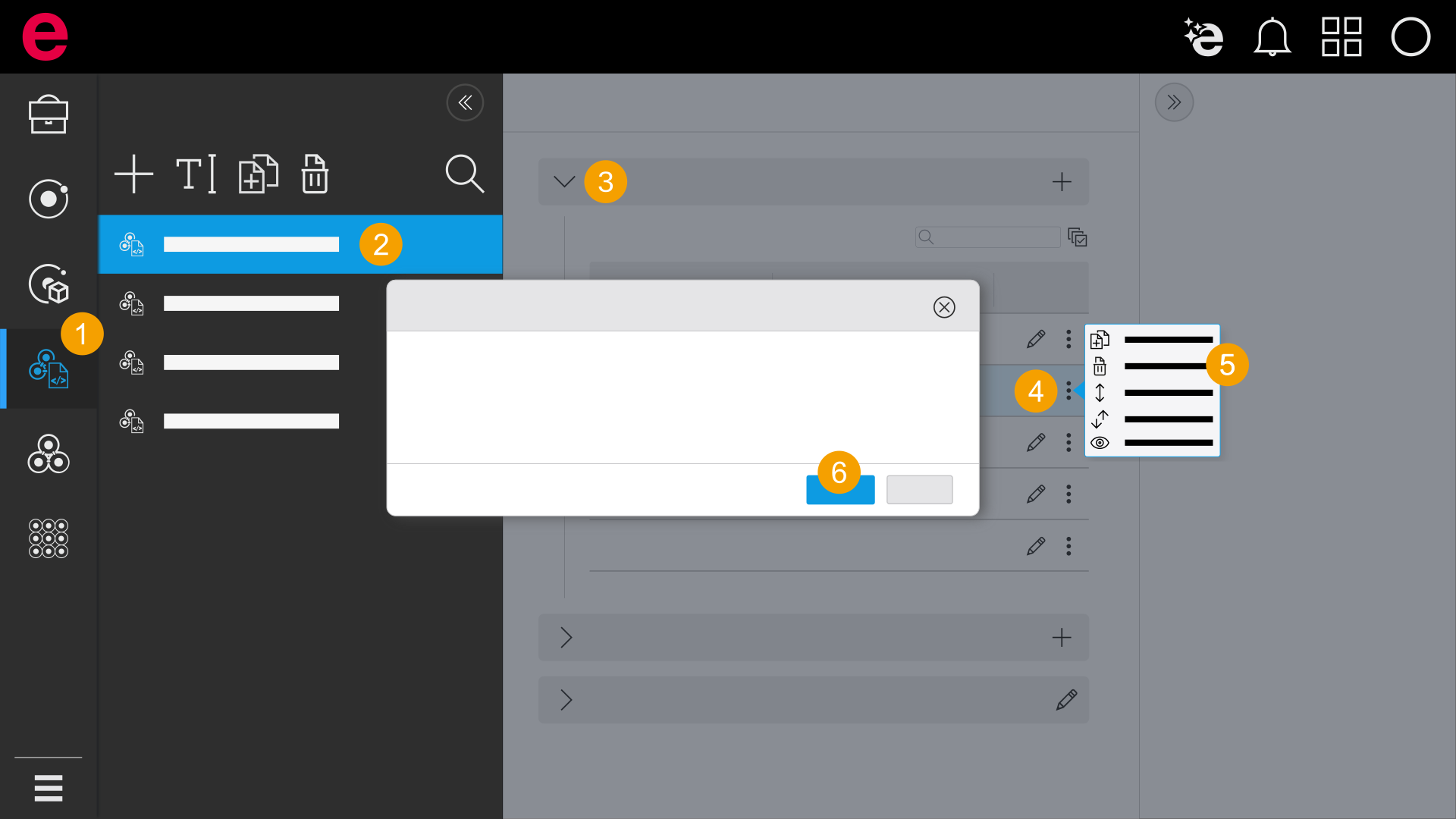
- Click Script Typicals in the navigation area.
- Select a Script Typical in the selection area.
- In the working section, open the Scripts drop-down list.
- Select a script and click the
 icon.
- Click Delete.
- Click Delete.
- The script is deleted.
A dialog opens.