Project Builder: Basics
The Project Builder is where you generate the project documentation for different products and product variants (e.g. schematics) in a few steps by using a library and its set of rules. The configuration options that are available depend on the configuration variables defined in the Designer.
eBuild - Work with the Project Builder
 User interface
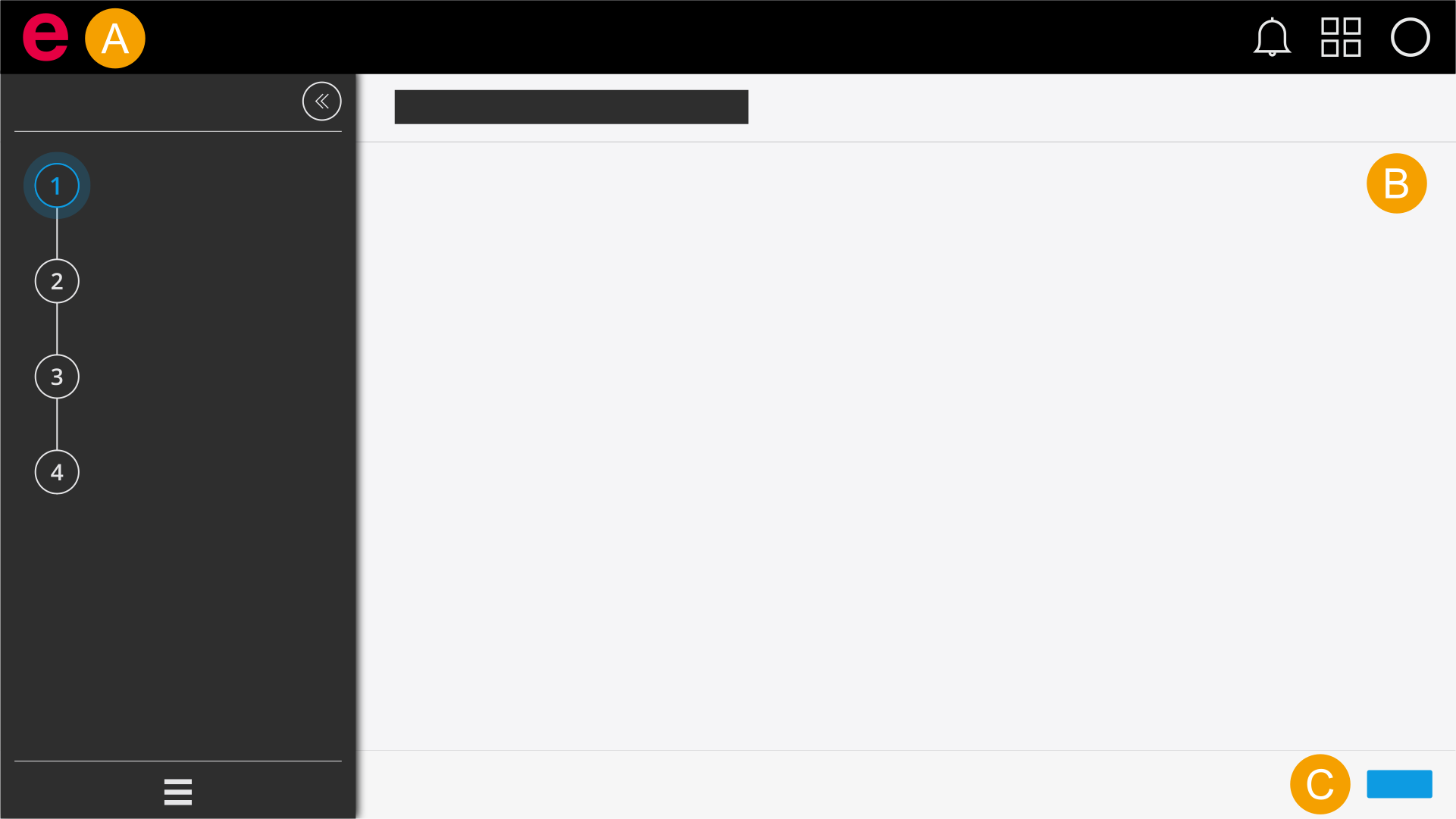
- Header: Navigate to the Cloud Dashboard, the Cloud menu or to your notifications. Look at the role assigned to you.
- Selection area: Select the libraries, projects and configurators that you require to generate the project documentation.
- Navigation bar: Navigate back and forth between the individual steps.
General requirements for generating the project documentation
- You have opened Eplan Electric P8 or a browser.
- You have signed in to Eplan Cloud.
- You have signed into an organization.
- You have opened the Project Builder.