Delete folder
You can only delete the folder if you are the owner of the projects which are located in the folder or if the projects in it were shared with you. Folders and projects which are deleted by you are also deleted for those with whom you have shared the projects.
Note
If you delete a folder in eManage, this is also deleted in eView!
 Prerequisites: Roles and permissions
Roles
| Area | Function | Admin | Designer | User | Guest |
|---|---|---|---|---|---|
| Folders | |||||
| Delete folder | x | x |
Permissions
| Area | Function | Edit | Limited (Edit) | View |
|---|---|---|---|---|
| Folders | ||||
| Delete folder | x |
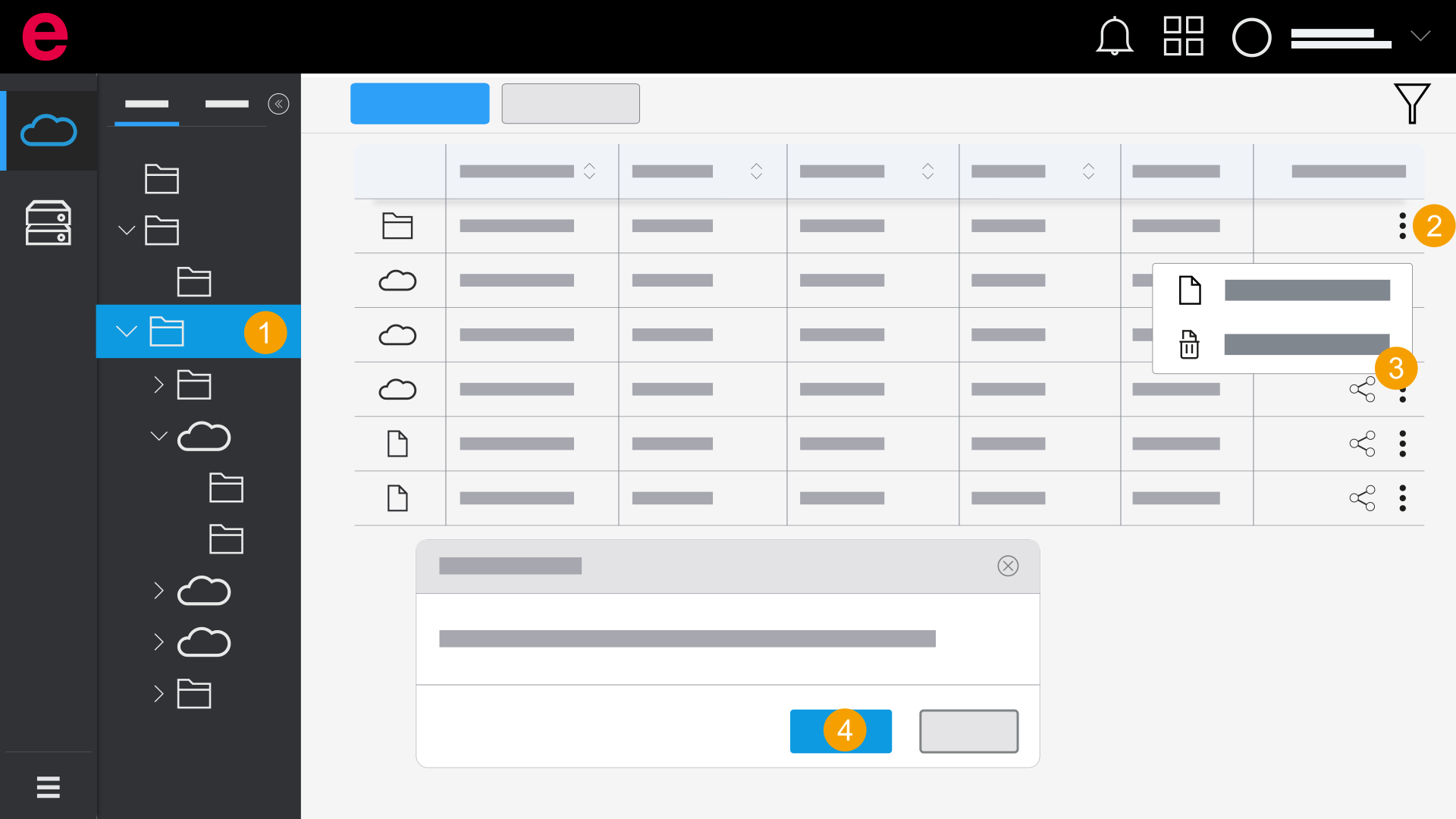
- eManage > Projects
- Either click Overview to delete a folder of the first level or click a folder in which the desired folder is located.
- Click the
 icon.
icon. - Click
 Delete.
 - Click Yes.
- The folder and the projects have been deleted.
The Delete dialog opens.
You are shown how many projects are located within the folder.