Show, rename, or delete chats
 Show chats
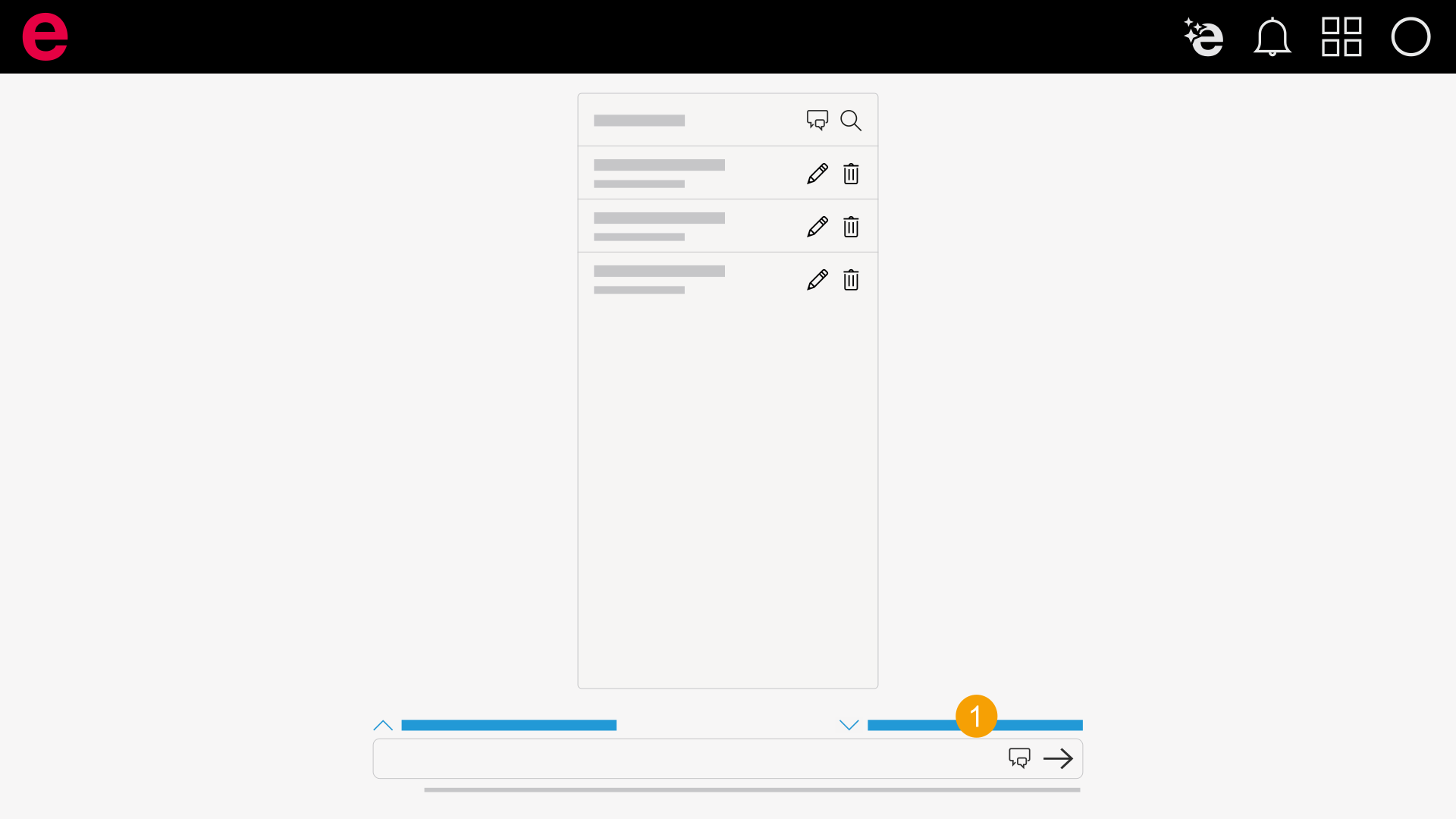
- Click All chats.
- All chats are opened.
Rename chats
Prerequisite: All chats are shown.
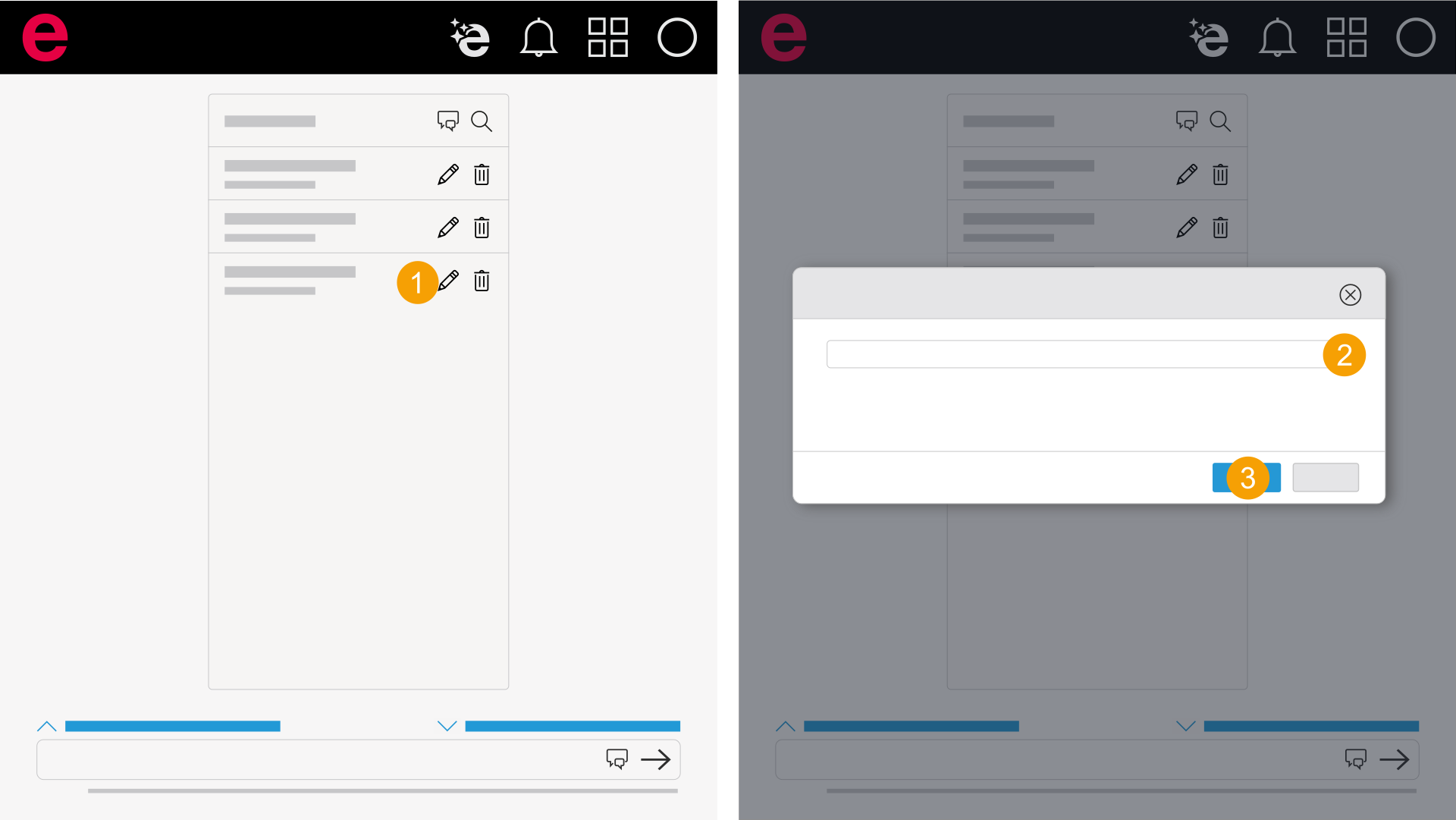
- Click the icon at the chat you want to rename
 .
. - Enter the new name for the chat.
- Click Rename.
- The chat is renamed.
The dialog opens.
Delete chats
Prerequisite: All chats are shown.
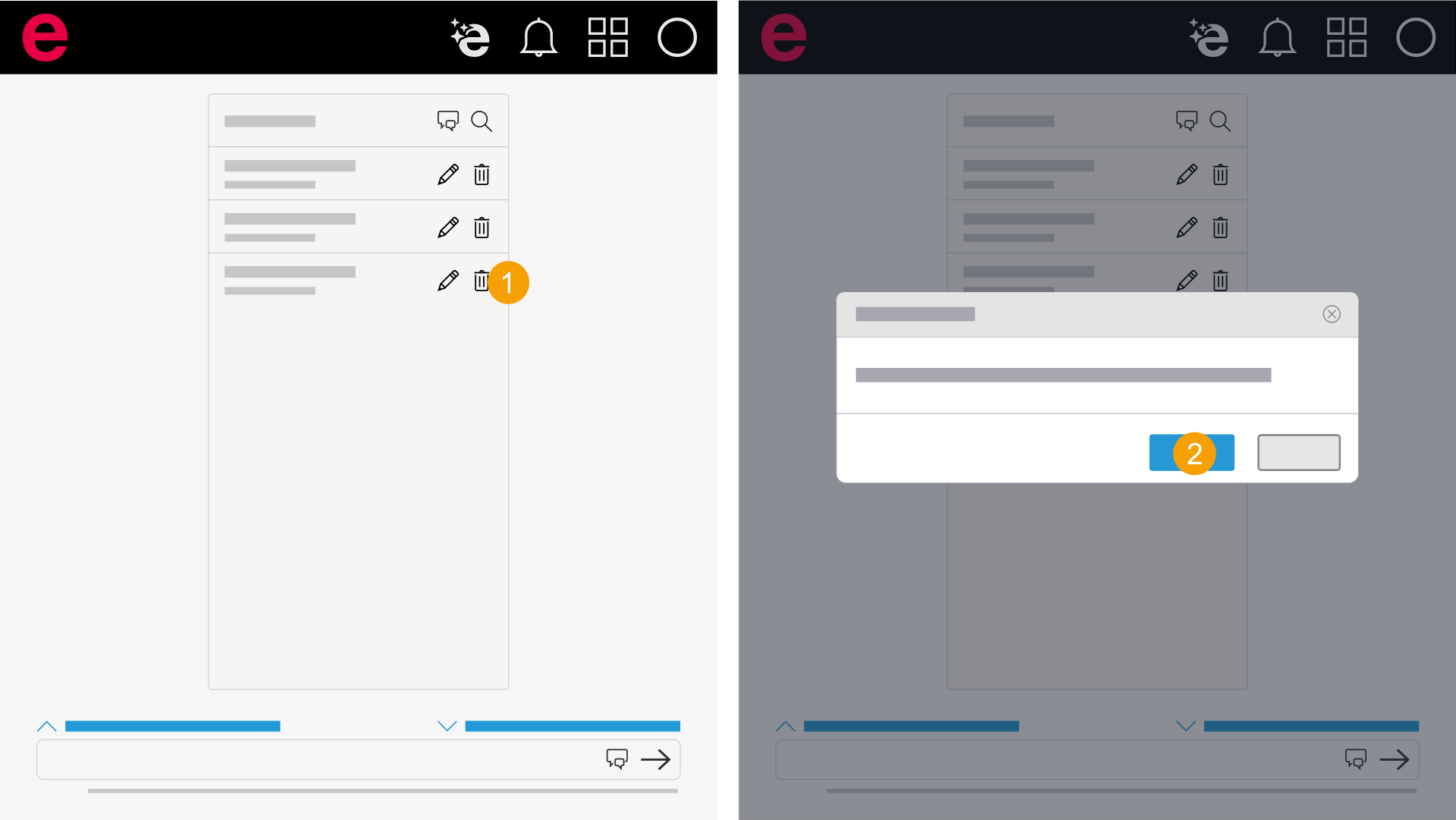
- Click the icon at the chat you want to delete
 .
. - Click Delete.
- The chat is deleted.
The dialog opens.