Synchronize master data
To make it easier to share master data between different users, you can synchronize local master data with the master data in the Eplan Cloud data management.
The master data is synchronized via a synchronization dialog in the installed Eplan solution. When Eplan starts, it checks if there is newer master data in the Eplan Cloud. If so, is displays a message that gives you the option to download the current master data or to go to the synchronization dialog first.
In addition, you can open the synchronization dialog manually at any time.
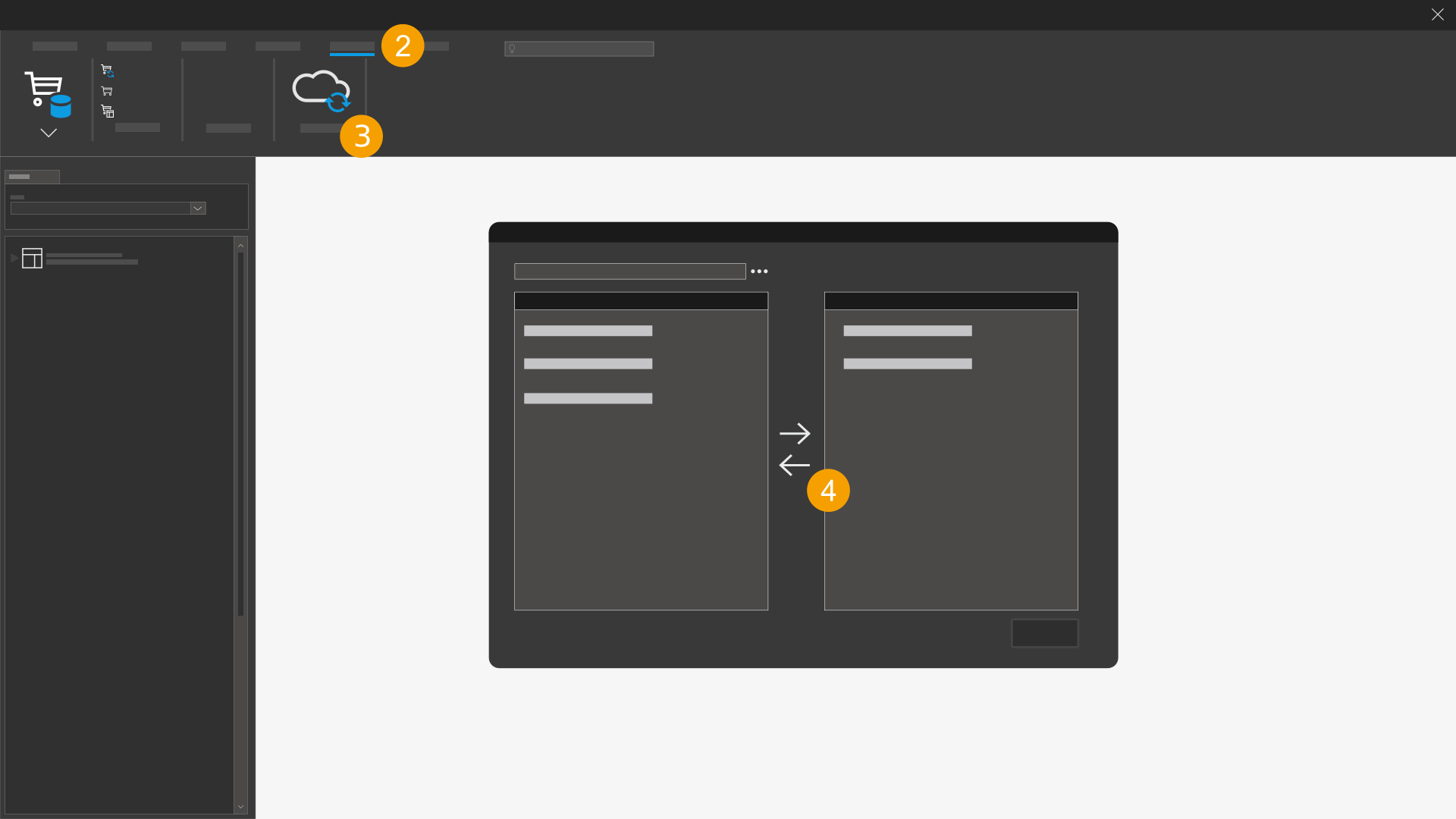
- Open your installed Eplan solution.
- Click the Master data tab.
- Click the Eplan Cloud master data option (
 ).
). - The Master data synchronization - Eplan Cloud dialog opens.
- Synchronize your master data.
Further information on how to synchronize master data in the Eplan Cloud data management with the master data in the associated local directories is available here.