Upload master data
Further information is available in Master data in Eplan Cloud.
Upload files and folders
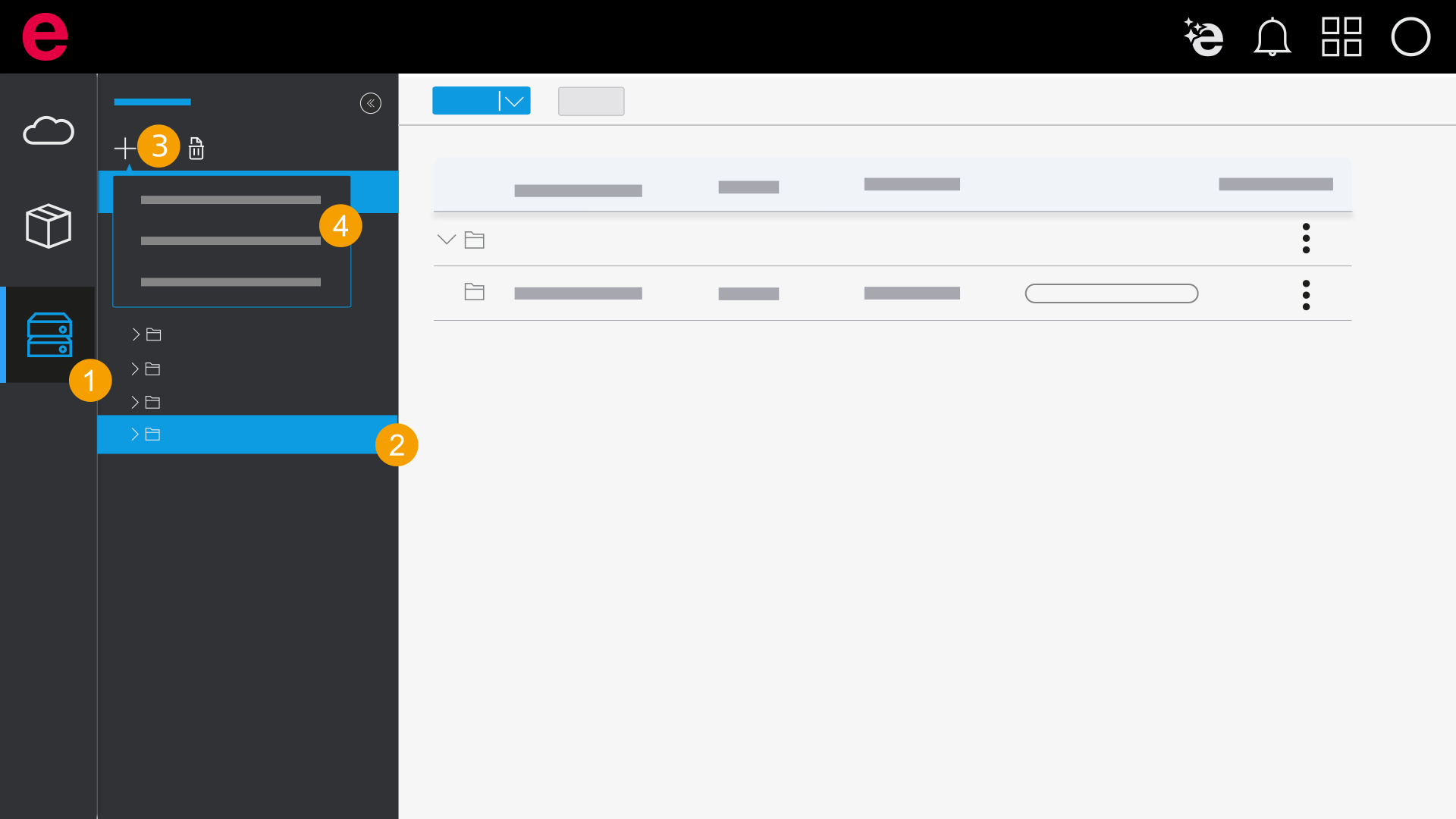
- Open the Master data area.
- Select a folder to which you want to upload the file or folder.
- Click the
 icon.
icon. - Select one of the options and upload a file or folder.
Upload master data from directory setting
If the data management is open in the installed Eplan solution, you can upload master data via the directory setting. Use the Upload master data from directory settings option to do this. Note that this function is only available in the data management in the installed Eplan solution. This option is not available in the browser.
When you upload master data via the directory setting, the data is always stored at the top directory level – no matter which folder is selected in the selection area.
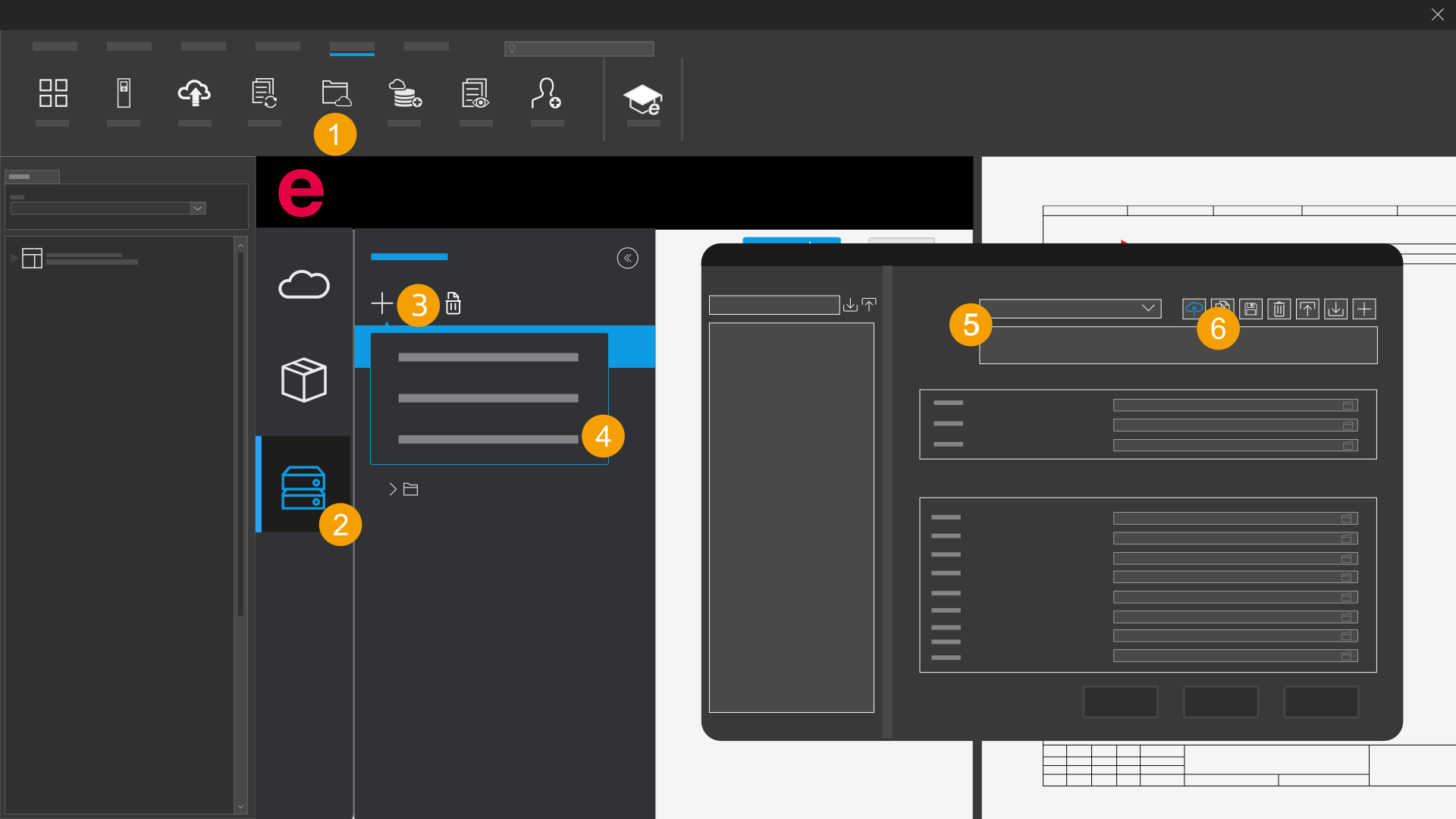
- Open the data management in the installed Eplan solution.
- Open the Master data area.
- Click the icon.
- Select the Upload master data from directory settings option.
- Under Scheme, select a local master data scheme.
- Click the
 to icon next to the scheme to upload the master data scheme to the Eplan Cloud.
 - The master data is uploaded from the directory settings.
The Settings: Directories dialog opens from the installed Eplan solution.
When master data is uploaded for the first time from the installed Eplan solution into the data management, corresponding directories of the directories contained in the local master data scheme are automatically created in the Eplan Cloud. The master data scheme in the Eplan Cloud automatically receives the supplement "Eplan Cloud".