Delete folder
You can only delete the folder if you are the owner of the projects which are located in the folder or if the projects in it were shared with you. Folders and projects which are deleted by you are also deleted for each user with whom you have shared the projects.
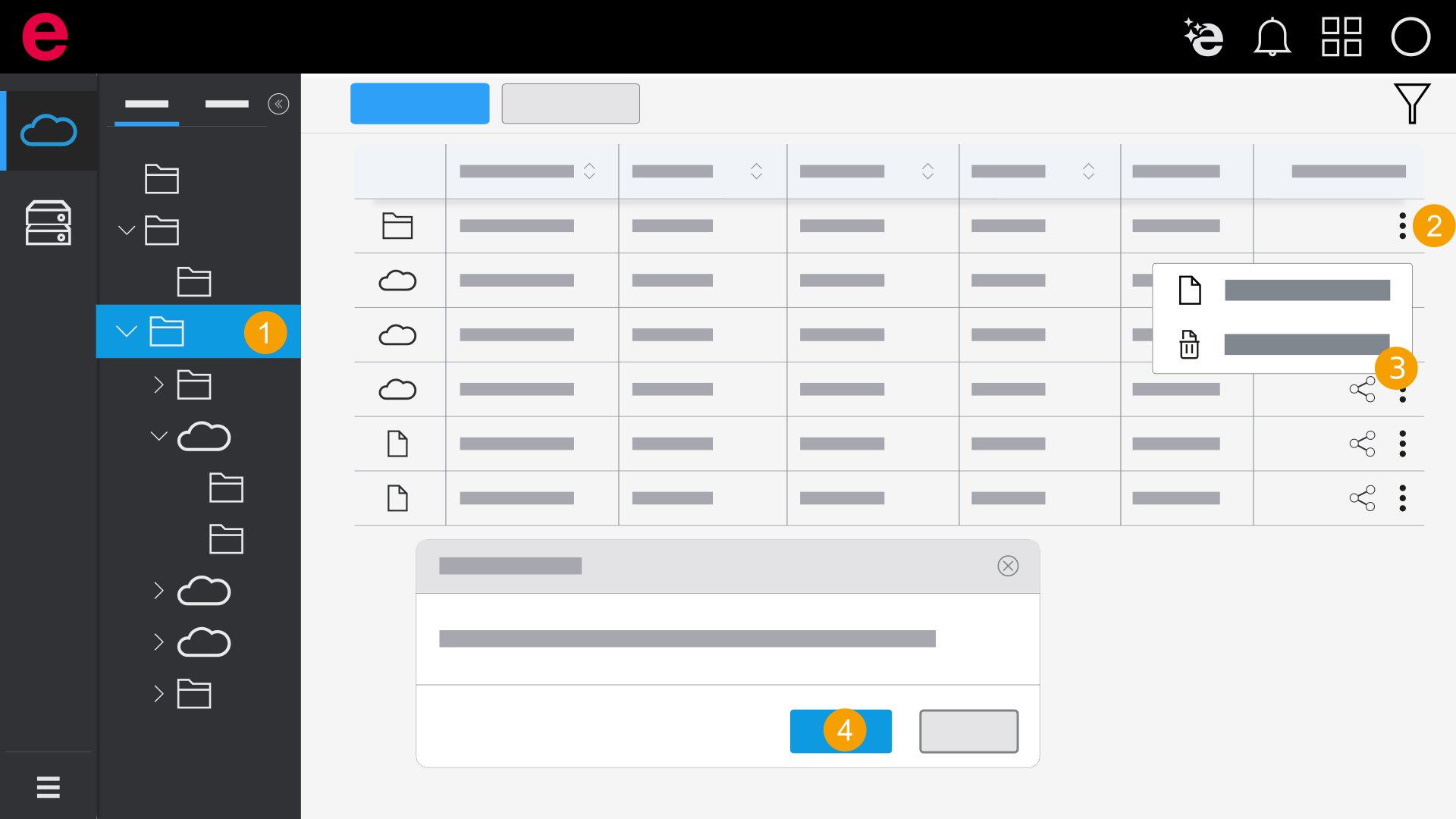
- Select a folder in the workspace.
- Click the icon
 in the Actions column.
 - Click Delete.
- Click Yes.
- The folder is deleted.
The Delete dialog opens.
You are shown how many projects are located within the folder.