Share a file: Specify a period
You can specify a period during which users or teams can access the shared file.
If you have Edit permission, you can also share projects or files that have been shared with you with another user. If your period of use is limited for projects, the user that you invited can only access projects within this period. You can also specify the period for the invited user. However, it has to lie within your period of use.
 Share a file internally: Specify a period
You share your project, master data or files with a user in your company organization or organization.
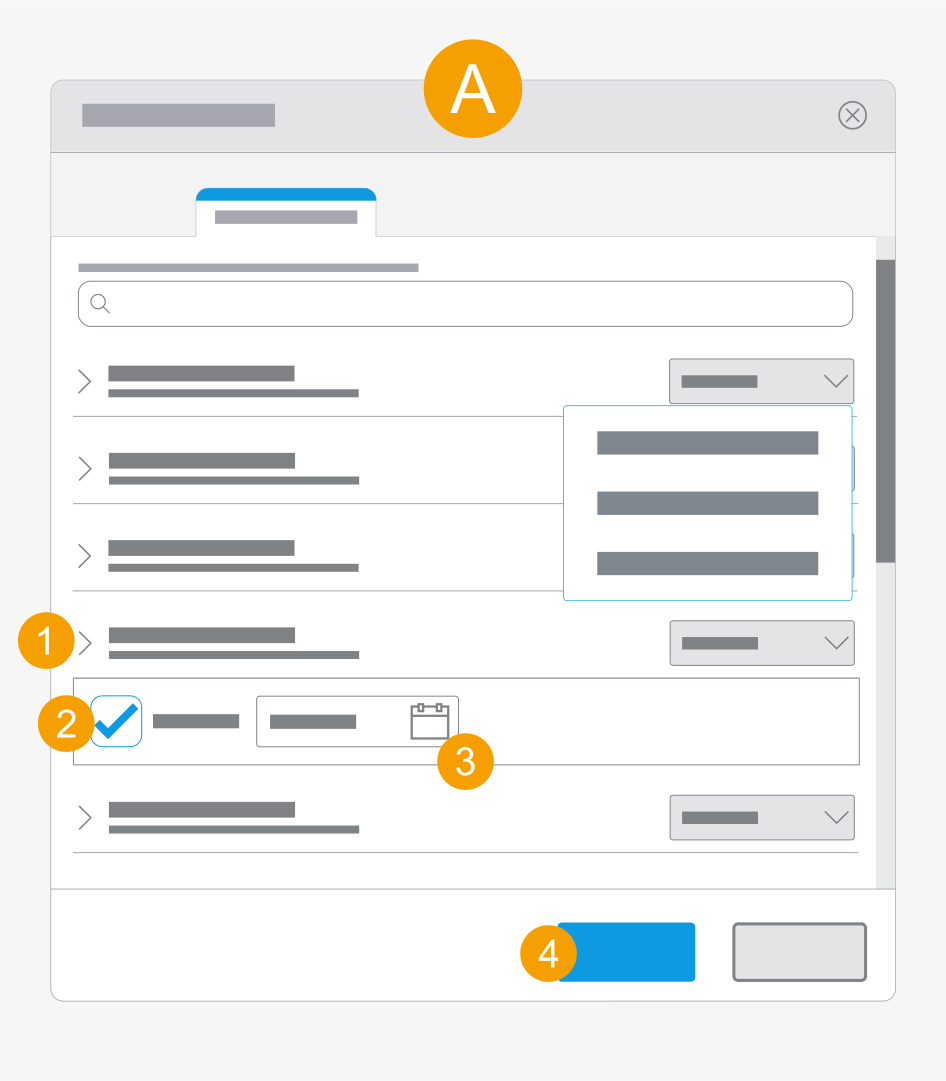
- Click the drop-down list next to the desired user.
- Confirm Share until:.
- Click the date field and select a date.
- Click Apply.
- The period for which the user has access to the file is specified.
Share a file externally: Specify a period
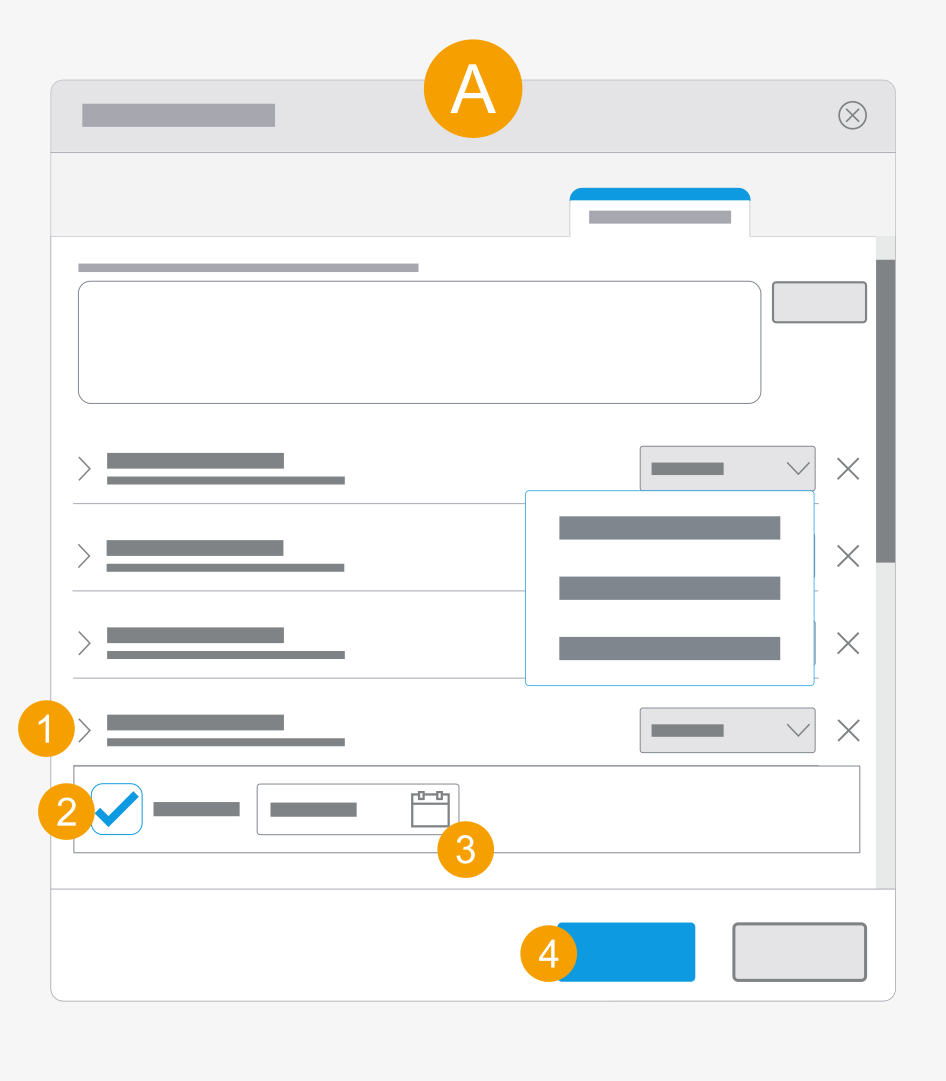
- Click the drop-down list next to the desired user.
- Confirm Share until:.
- Click the date field and select a date.
- Click Apply.
- The period for which the user has access to the file is specified.
Share a file with a team: Specify a period
You share your project or files with a team in your company organization or organization.
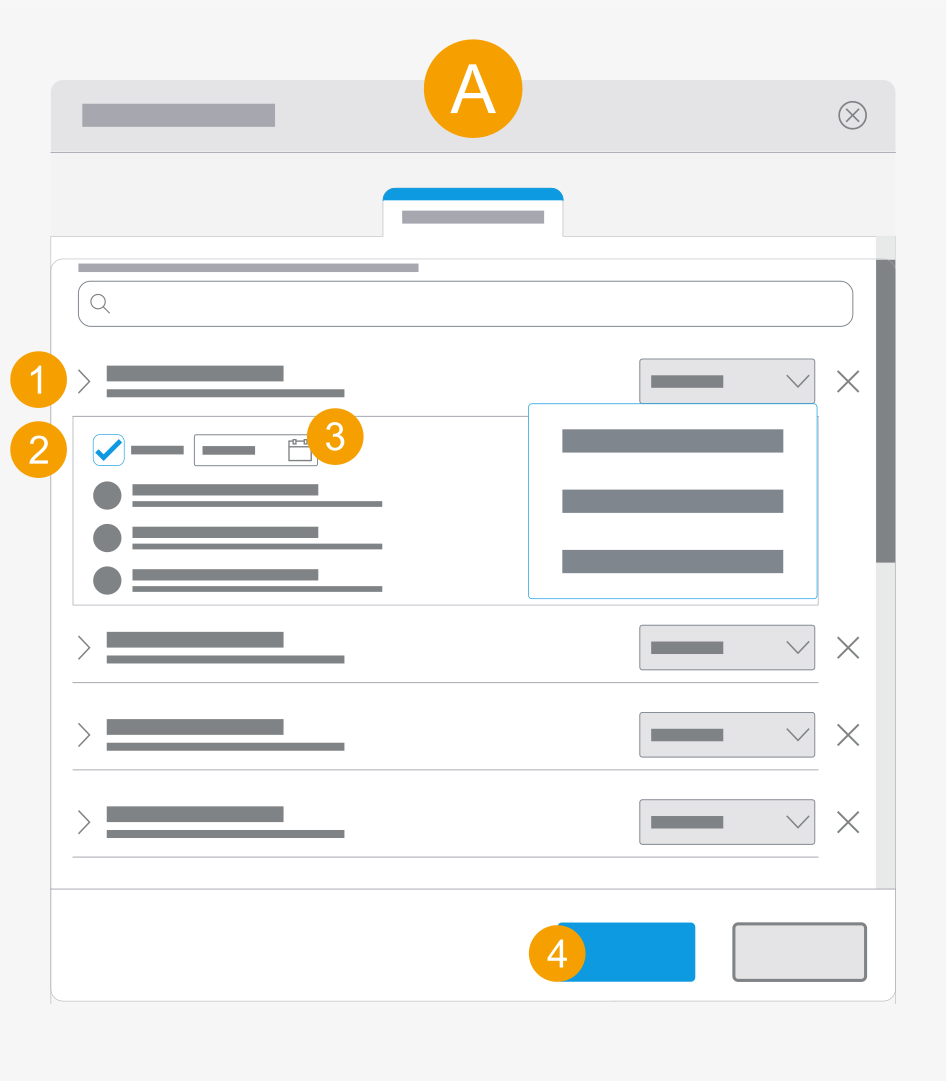
- Click the drop-down list next to the desired user.
- Confirm Share until:.
- Click the date field and select a date.
- Click Apply.
- The period for which the user has access to the file is specified.