Share a project with an external user
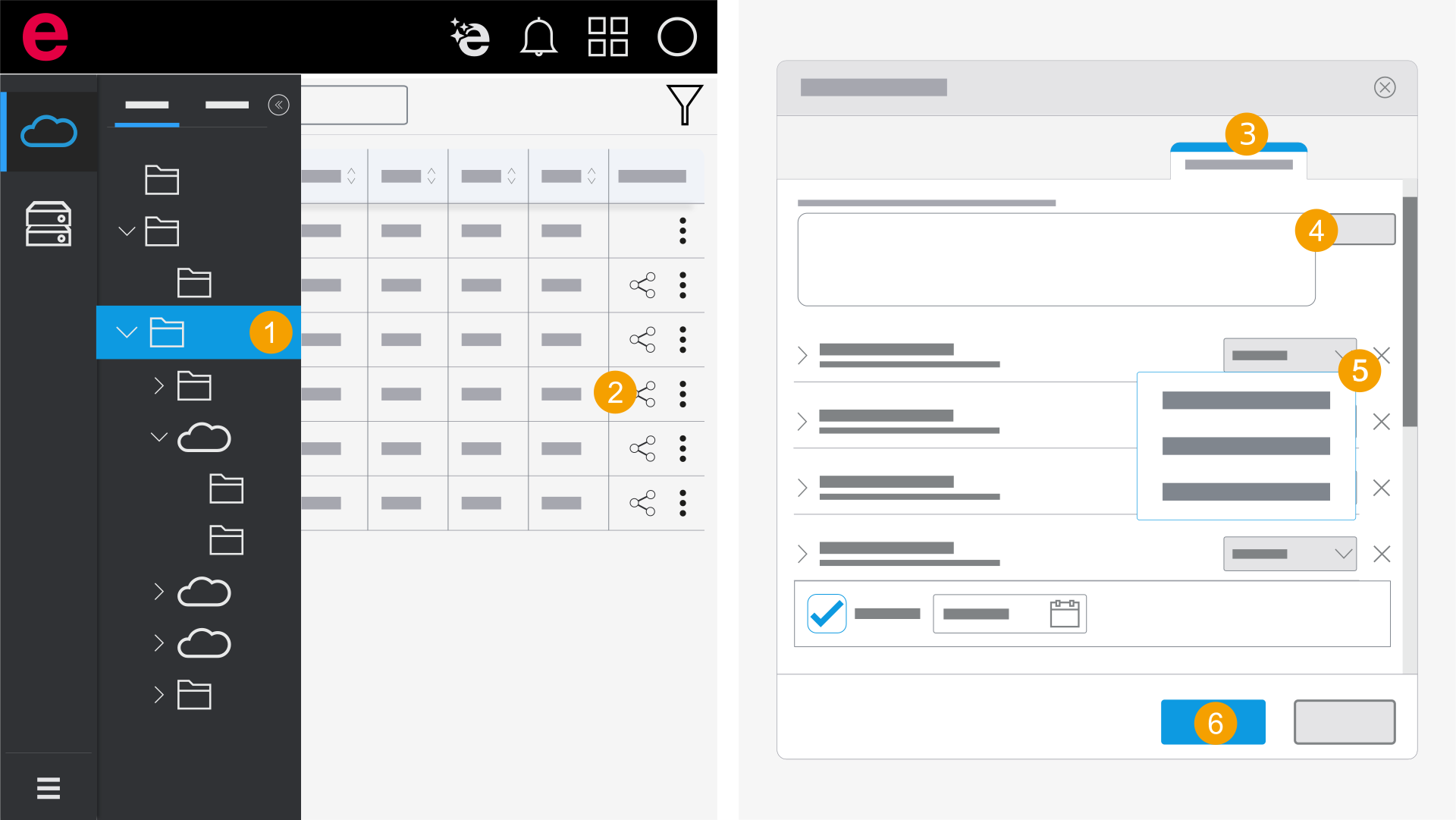
- Open the folder with the desired project.
- Click the
 icon next to the project in the Actions column.
 - Select the External users area.
- Enter your e-mail address and click Add.
- Click the drop-down list next to the desired user and select a permission.
- Click Apply.
- The project is shared with the user.
You have specified the period in which the external user will have access to the project.