Upload a project
When you upload a project into the data management, you can have the "Documents" and "Images" folders created automatically below the project. These folders contain all documents or images stored in the project.
 Upload project into installed Eplan solution
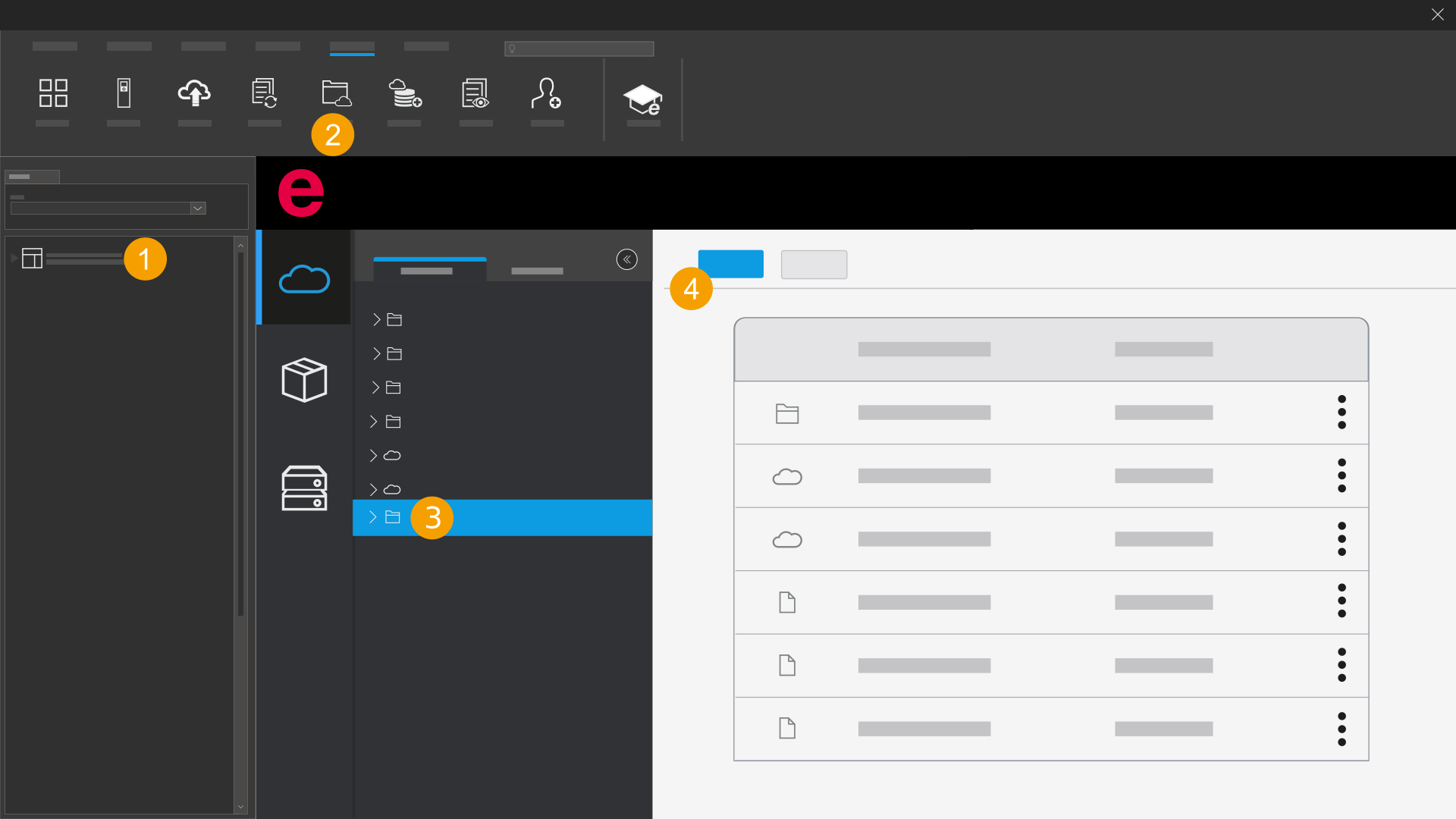
- Select a project in one of the navigators in the installed Eplan solution.
- Open the data management.
- In the data management, open the folder into you which you want to upload the project.
- Click Upload.
- The project is uploaded.
Upload a project in the browser
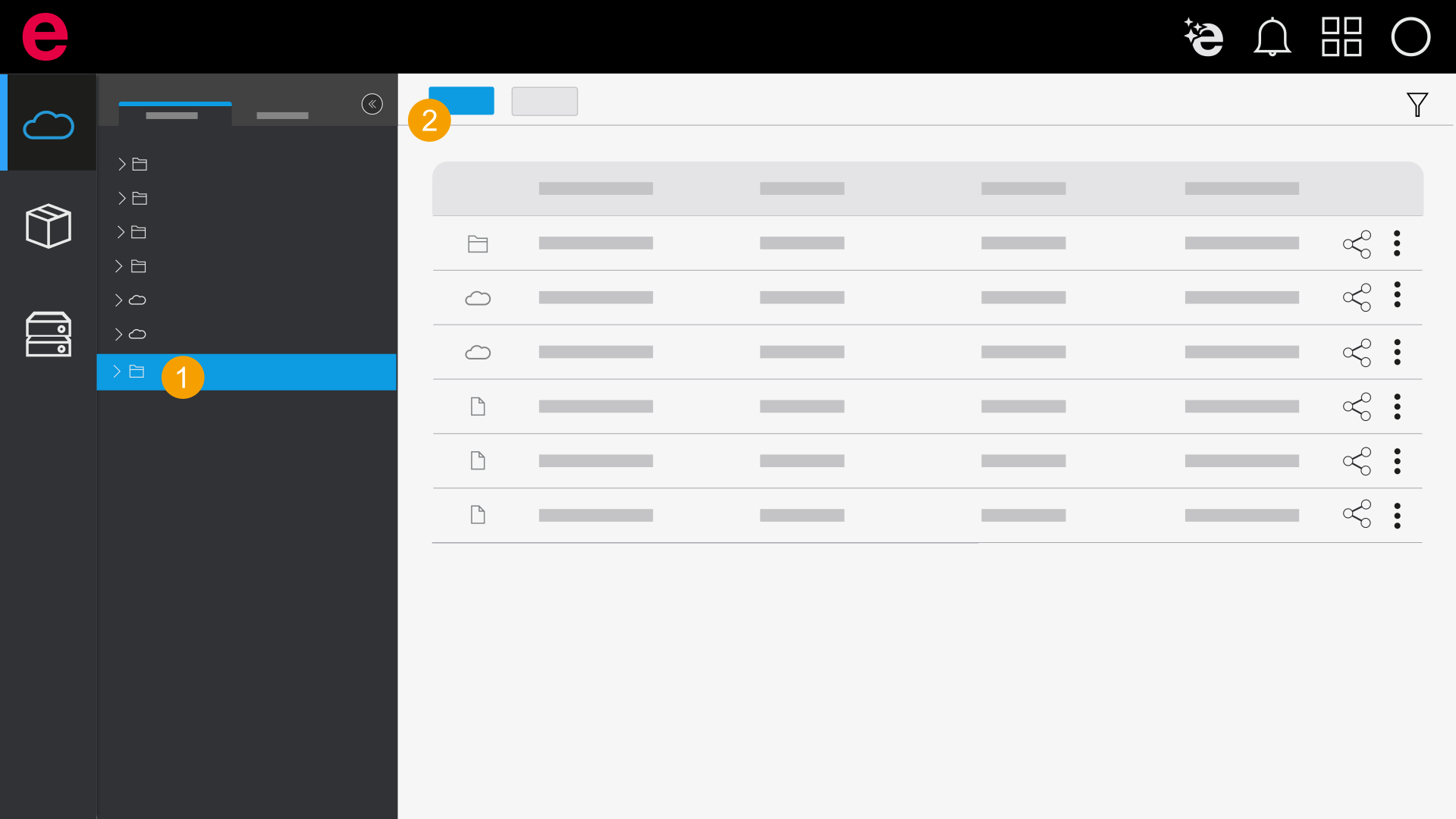
- In the data management, open the folder into you which you want to upload the project.
- Click Upload.
- Select a project (*.zw1).
- The project is uploaded.