Files: Basics
You have the possibility to upload, download and manage files in various formats.
View file
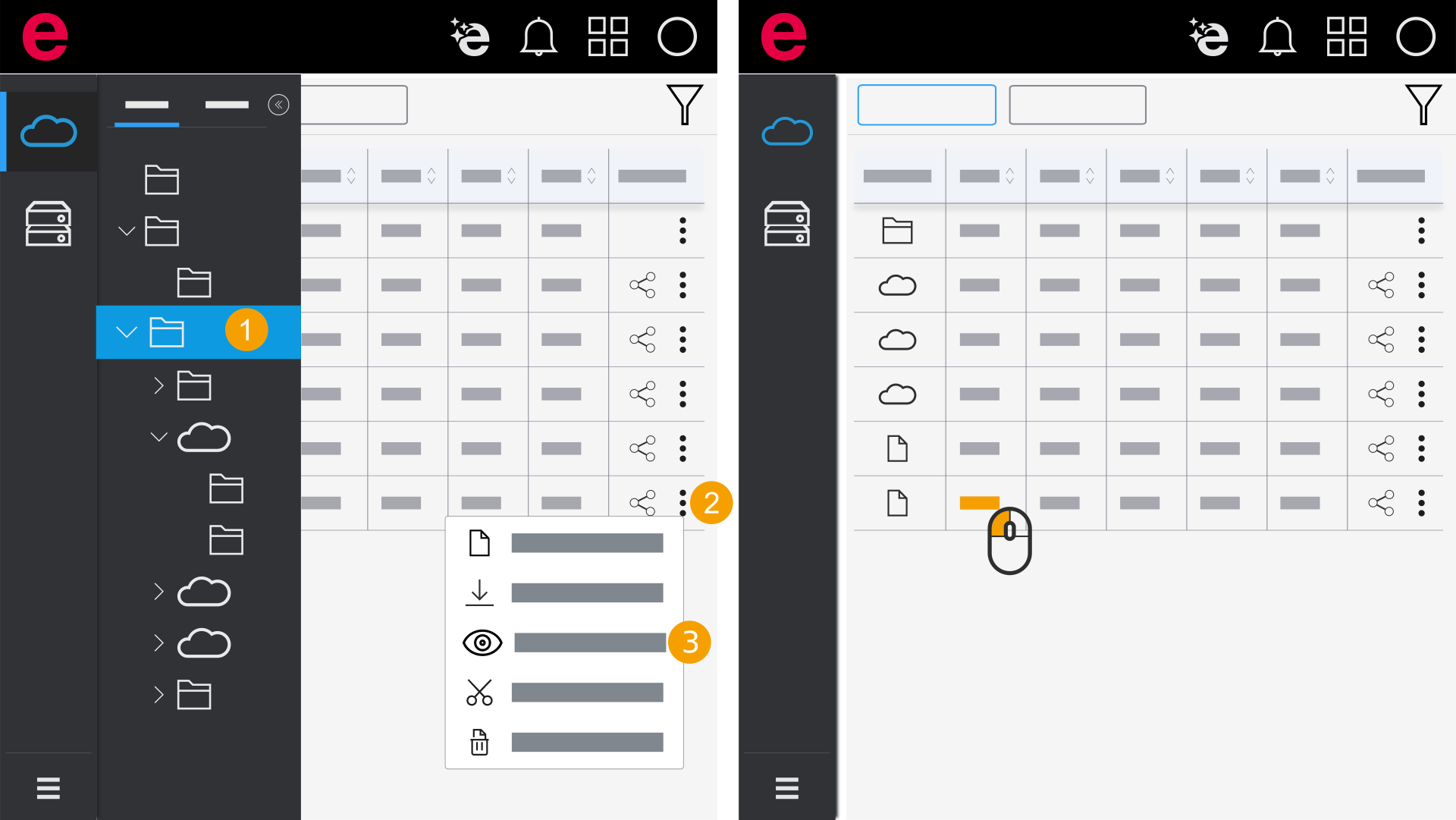
- Open the folder with the desired file.
- Click the icon
 in the Actions column.
 - Click View.
- The view opens.
or
- Open the folder with the desired file.
- Double-click the file name.
- The view opens.