Share a file with an external user
You share your project or files with a user who is not a member of your company organization or organization and who also should not become a member.
 Prerequisites: Roles and permissions
Roles
| Area | Function | Admin | Designer | User | Guest |
|---|---|---|---|---|---|
| Files | |||||
| Share a file with an internal user | x | x | - | - | |
| Share a file with an external user | x | x | - | - | |
| Share a file with a team | x | x | - | - | |
| Share file; set time period | x | x | - | - | |
| View "Shared with" file detail | x | x | x | - |
Permissions
| Area | Function | Download | View |
|---|---|---|---|
| Files | |||
| Download file | x | - | |
| View file | x | x |
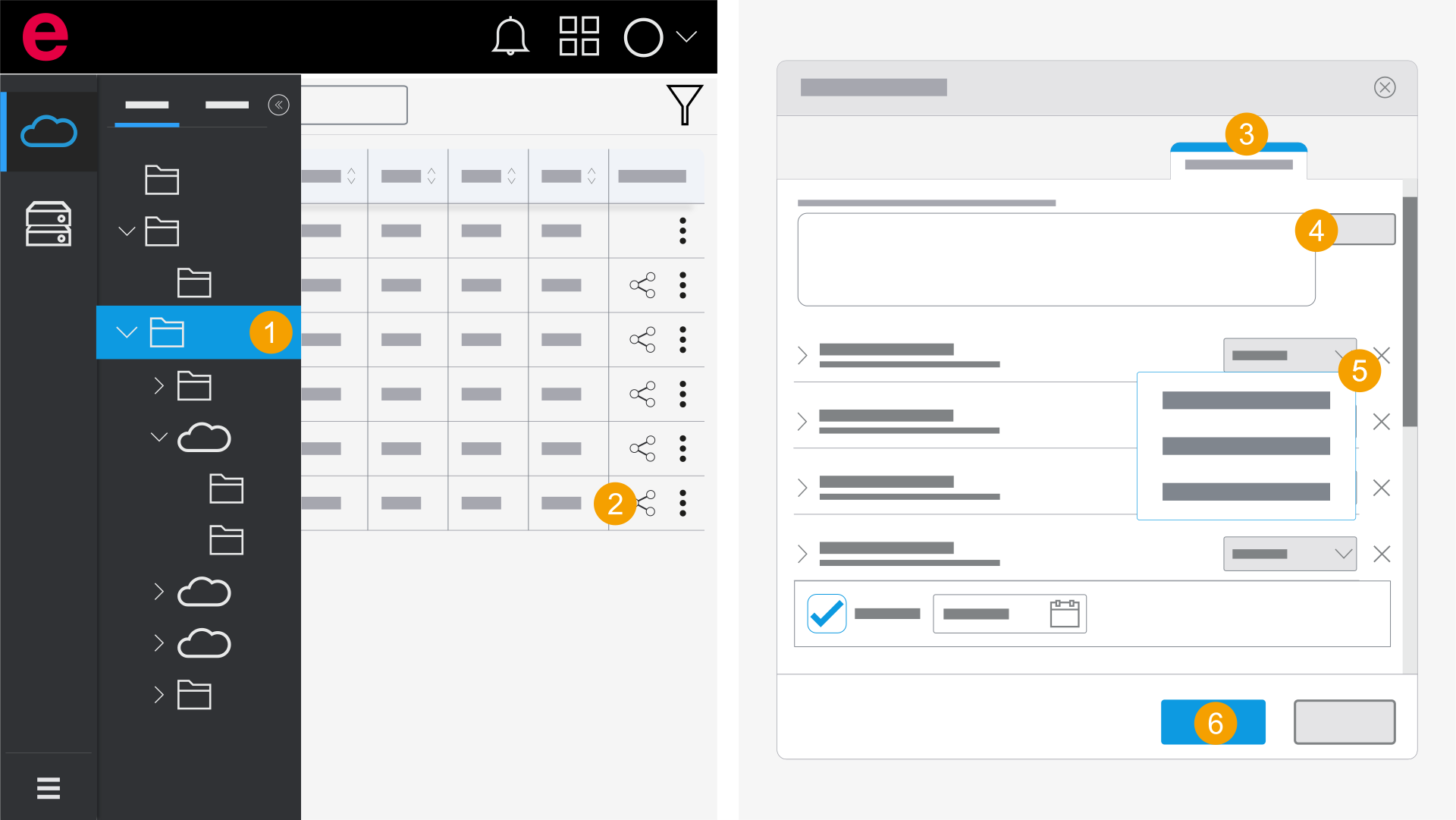
- eManage > Projects
- Open the folder with the desired file.
- On the file, click the
 icon.
icon. - Switch to the External users section.
- Enter your e-mail address and click Add.
- Click the desired user in the drop-down list and select a permission.
- Click Apply.
- The file is shared with the user.
You can specify the period in which the external user should have access to the project or the file.