Borrowing a license from the Eplan License Manager - with network connection
Licenses can only be borrowed and used in combination with the
Preconditions:
- The computer on which the Eplan product is used has a connection to the
Eplan License Manager (ELM Configurator) . - Eplan
License Manager (ELM Configurator) is installed on a server of your company and was activated with a Concurrent License: - Activating a Concurrent License - with Internet connection
- Activating a Concurrent License - without Internet connection
- You have the name and port number of the License Manager.
- The Eplan product is installed and is started for the first time. The dialog for licensing appears.
The borrowed license can be borrowed at maximum for a period specified by the
The borrowing period can be extended. Extending the borrowing period
 Initial installation
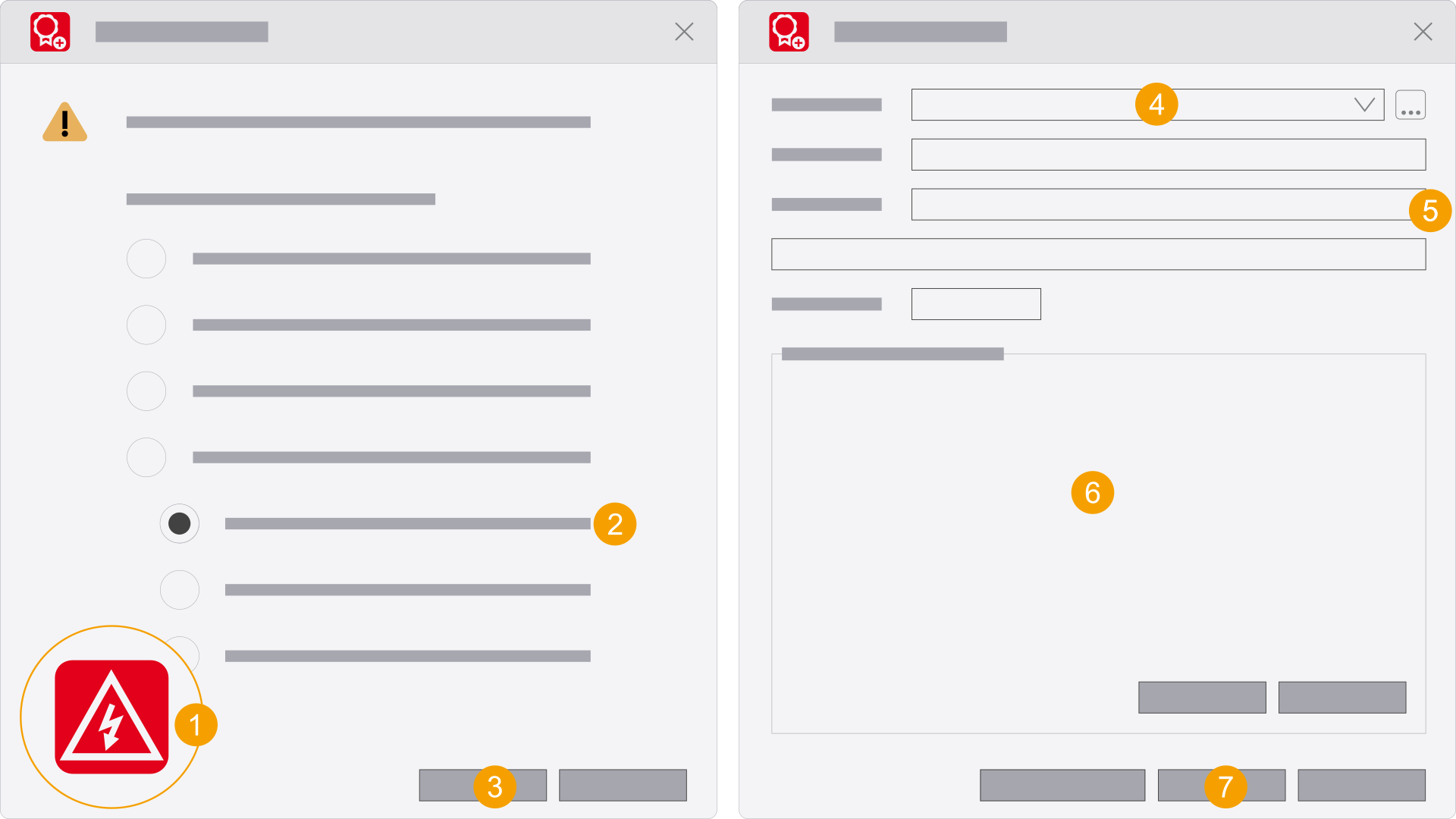
- Start the Eplan product by double-clicking the program icon.
- Select the From License Manager (online) option under Borrow license.
- Click OK.
- In the License Manager field, enter the name and port number of the License Manager, separated by a colon.
The Activate license dialog is opened.
The Borrow license dialog is opened.
Example:
Alternative procedure
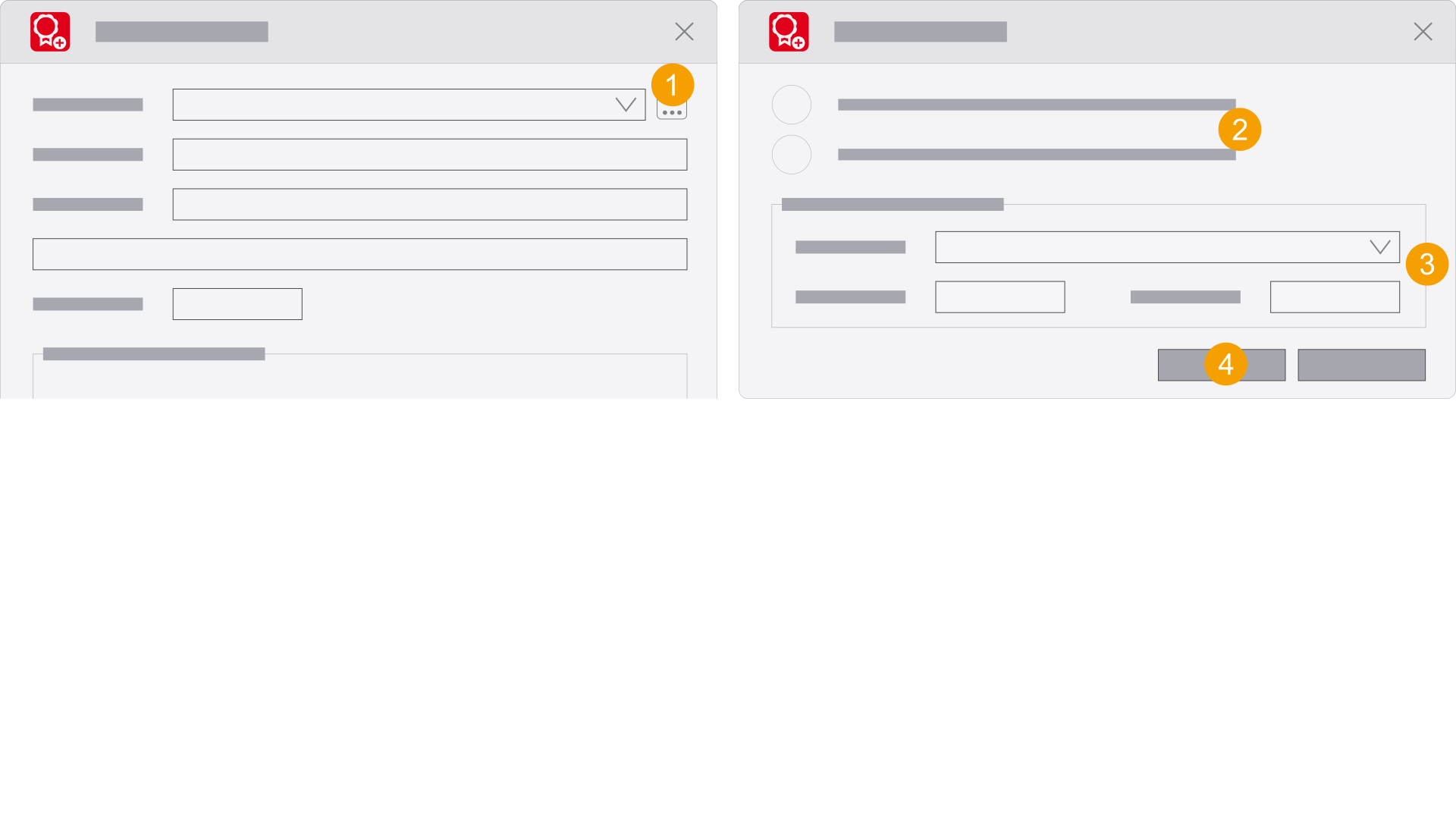
- Click the
 icon.
icon. - Select the version of the Eplan License Manager.
- Please fill in the required fields.
- Click OK.
- Select the License Manager, the Serial number and the duration of the borrowing period.
- Make a selection.
- Click Borrow.
- Click Close.
- The Eplan product can now be used.
- The Eplan product starts.
Bundles to be borrowed are listed in the field.
The Borrow license dialog opens and confirms the activation.
The Check license dialog is opened and informs you about the borrowing period.
With existing installation
An error message can occur during the first connection to the new License Manager. End the connection to the License Manager once by returning the borrowed license or by disconnecting the connection. Then you borrow the license again or reconnect the product with the License Manager.
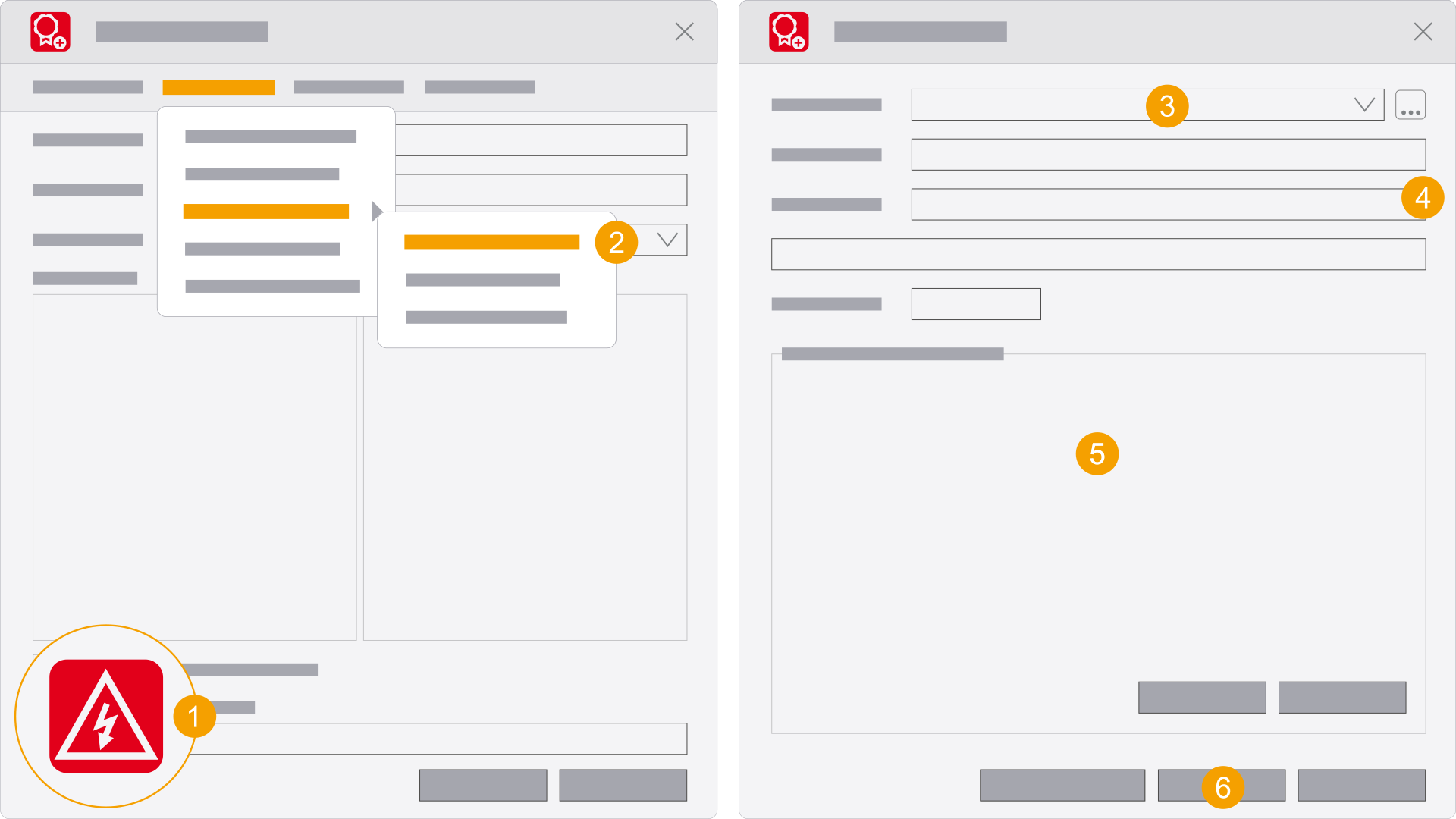
- Start the Eplan product while holding down the Shift key and double-click the program icon.
- Select the following menu items: Concurrent License > Borrow license > From License Manager (online).
- In the License Manager field, enter the name and port number of the License Manager, separated by a colon.
The Select license dialog is opened.
The Borrow license dialog is opened.
Example:
Alternative procedure
- Click the icon.
- Select the version of the Eplan License Manager.
- Please fill in the required fields.
- Click OK.
- Select the License Manager, the Serial number and the duration of the borrowing period.
- Make a selection.
- Click Borrow.
- Click Close.
- The Eplan product can now be used.
- The Eplan product starts.
Bundles to be borrowed are listed in the field.
The Borrow license dialog opens and confirms the activation.
The Check license dialog is opened and informs you about the borrowing period.