Add product to dashboard
For information on the available roles and the rights they include, see Roles and permissions.
 Requirements: Roles
| Area | Function | Main administrator | "Manage" |
|---|---|---|---|
| Users | |||
| Assign roles and licenses | x | x |
Assign a role and license to a user
Roles and licenses in user management are either assigned and revoked by the main administrator of the organization or by a user to whom the main administrator has assigned the role "Manage" for user management. By selecting a role, the product appears on the dashboard and is available to the user.
Prerequisite: Open User management
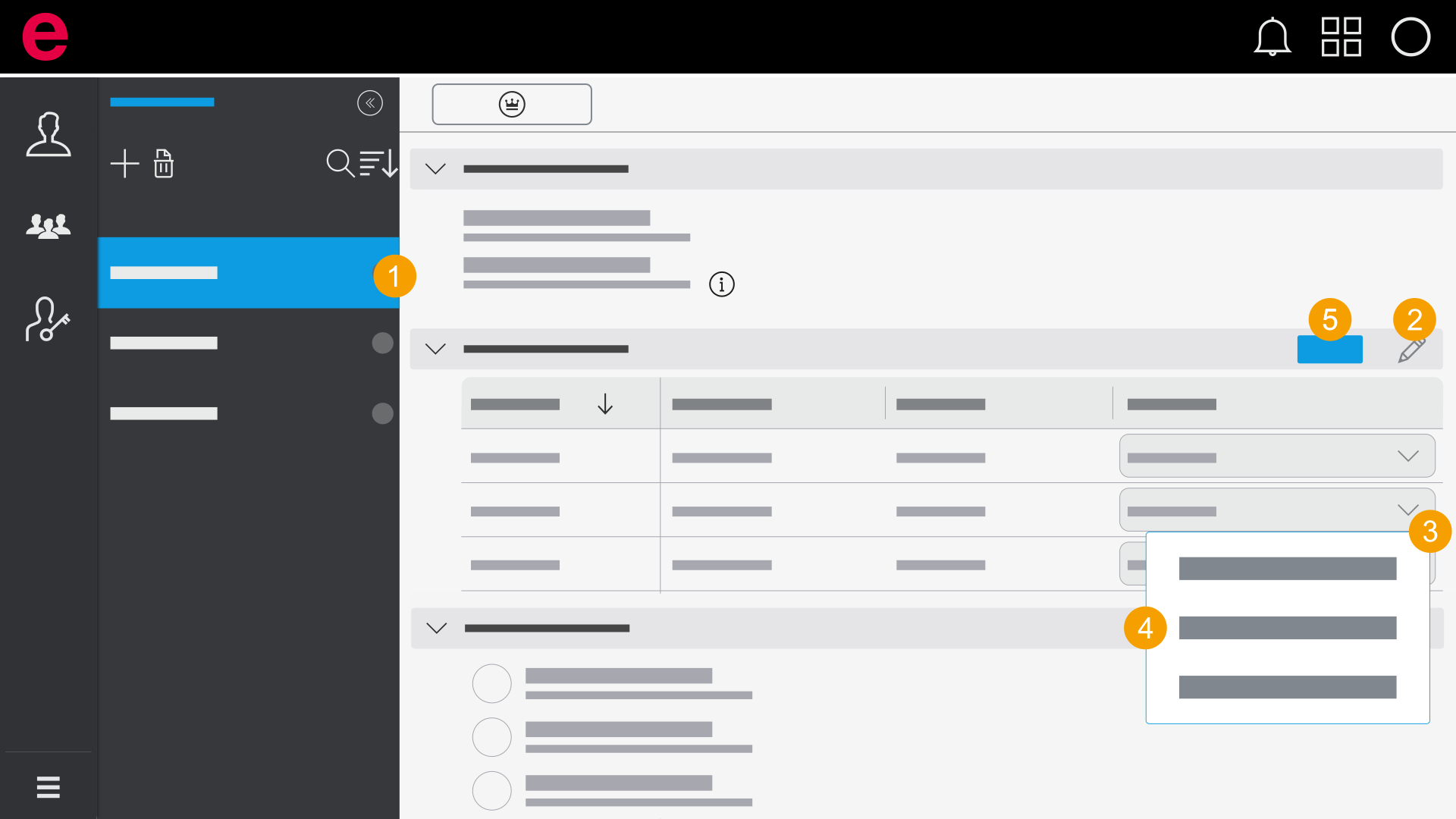
- Select a user in the selection area.
- Click the
 icon.
icon. - Open the drop-down list for the respective product.
- Select a role.
- Click Save.
- The role is assigned.
By assigning a role to the user, you also assign an Eplan license at the same time. More about Eplan licenses can be found here.
Concurrent Licenses can be assigned permanently to individual users. In this case the license is reserved exclusively for this user and is not available to other users. This reduces the number of freely available licenses.
If a user is a member of a team with an assigned role template, a previously made manual change is overwritten when the role template is changed or the role template is replaced.
Assign a role and license to several users
Roles and licenses in user management are either assigned and revoked by the main administrator of the organization or by a user to whom the main administrator has assigned the role "Manage" for user management. By selecting a role, the product appears on the dashboard and is available to the user.
Prerequisite: Open User management
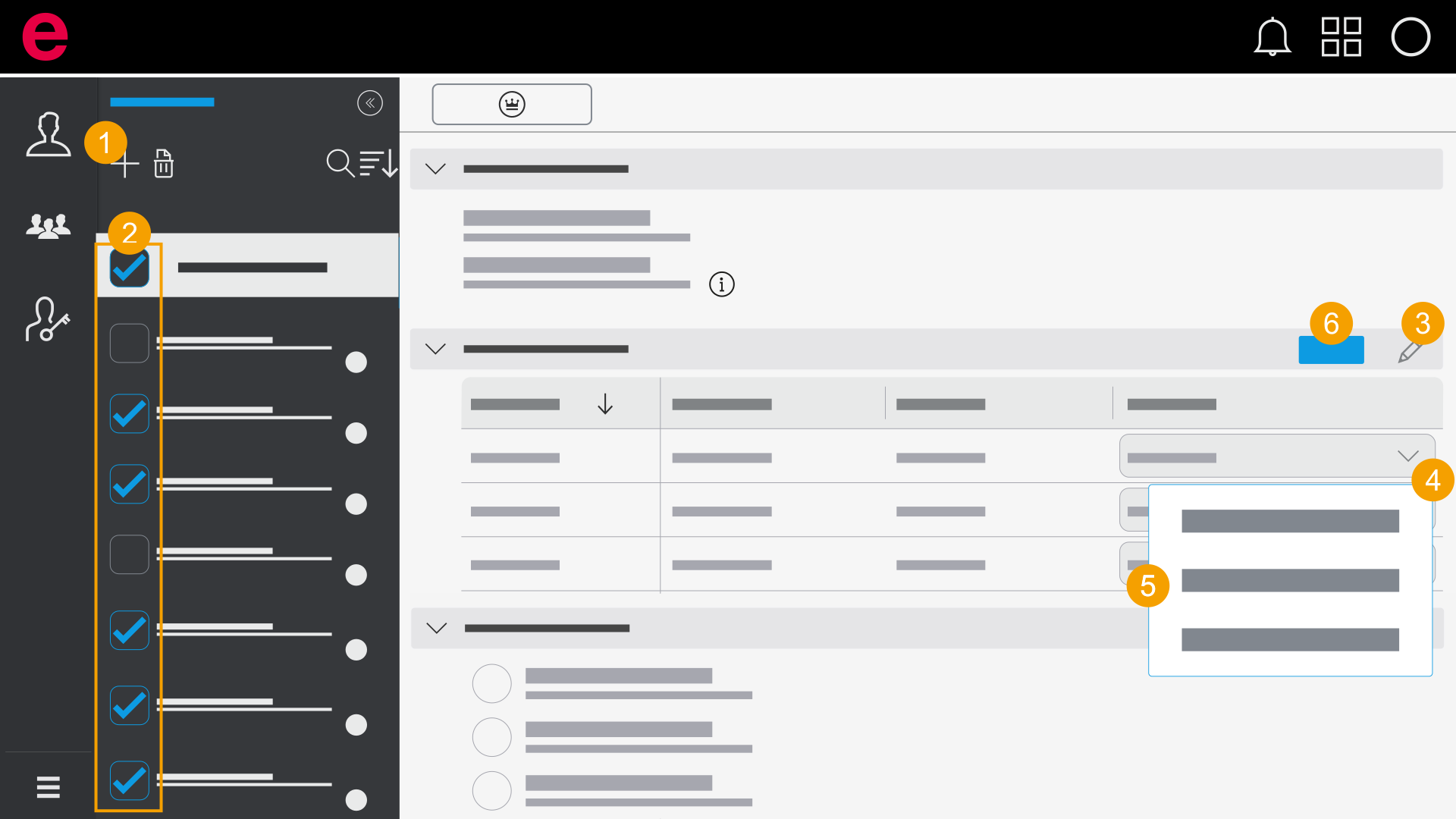
- Click the
 icon in the selection area.
 - Select all or multiple users.
- Click the icon.
- Open the drop-down list for the respective product.
- Select a role.
- Click Save.
- The same role is assigned to multiple users.
By assigning a role to the user, you also assign an Eplan license at the same time. More about Eplan licenses can be found User management: Basics.