Remove users from a team
Users or teams with this icon  can only be edited or deleted in Microsoft Entra ID.
If you remove a user from a team, the roles that they have been assigned via the team and its role template are removed from the user. The roles of the standard role template are assigned to the user automatically.
Requirement: Open User management
 Requirements: Roles
| Area | Function | Main administrator | "Manage" |
|---|---|---|---|
| Users | |||
| Remove users from a team | x | x | |
| Team | |||
| Remove users from a team | x | x |
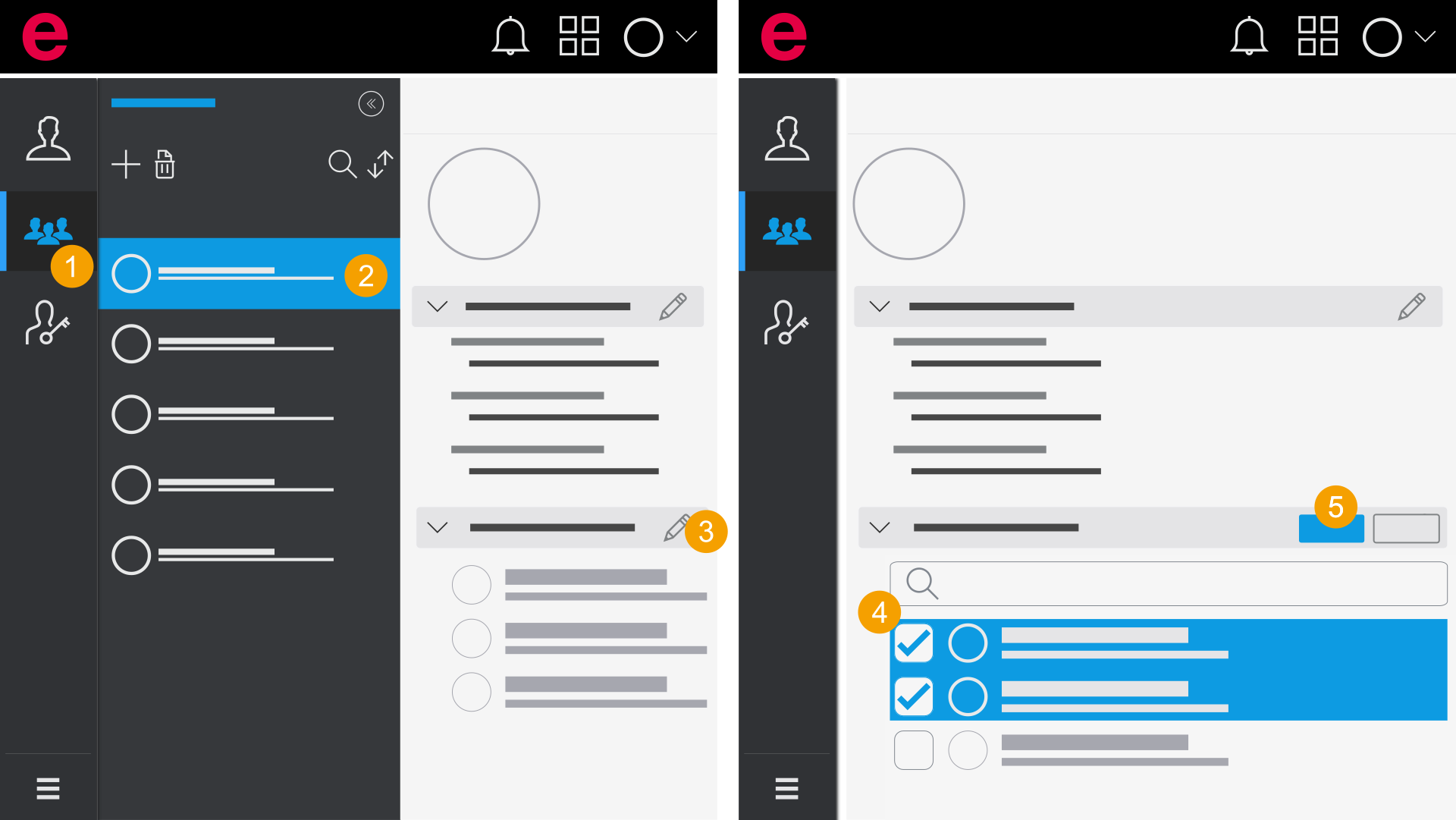
In the Teams area
- Click Teams in the navigation bar.
- Select a team.
- Click the
 icon in the Members area.
 - Remove your selection for one or more users.
- Click Save.
- You have removed one or multiple users from the team.
In the search, enter the name or e-mail address of a user.
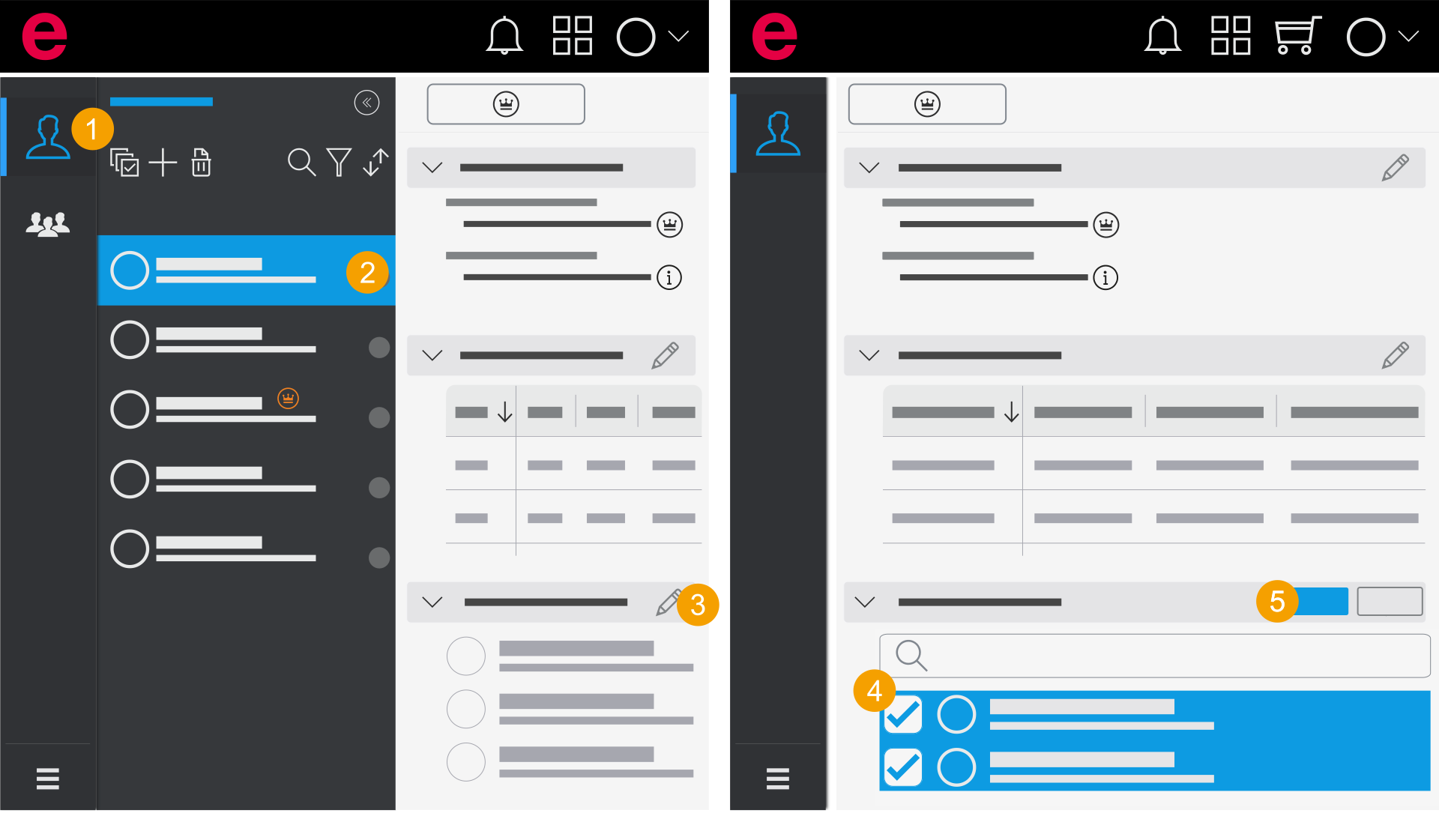
In the Users area
- Click User in the navigation bar.
- Select a user.
- Click the icon in the Teams area.
- Remove your selection for one or more teams.
- Click Save.
- You have removed the user from one or more teams.