Change e-mail address
Prerequisite: Open My settings.
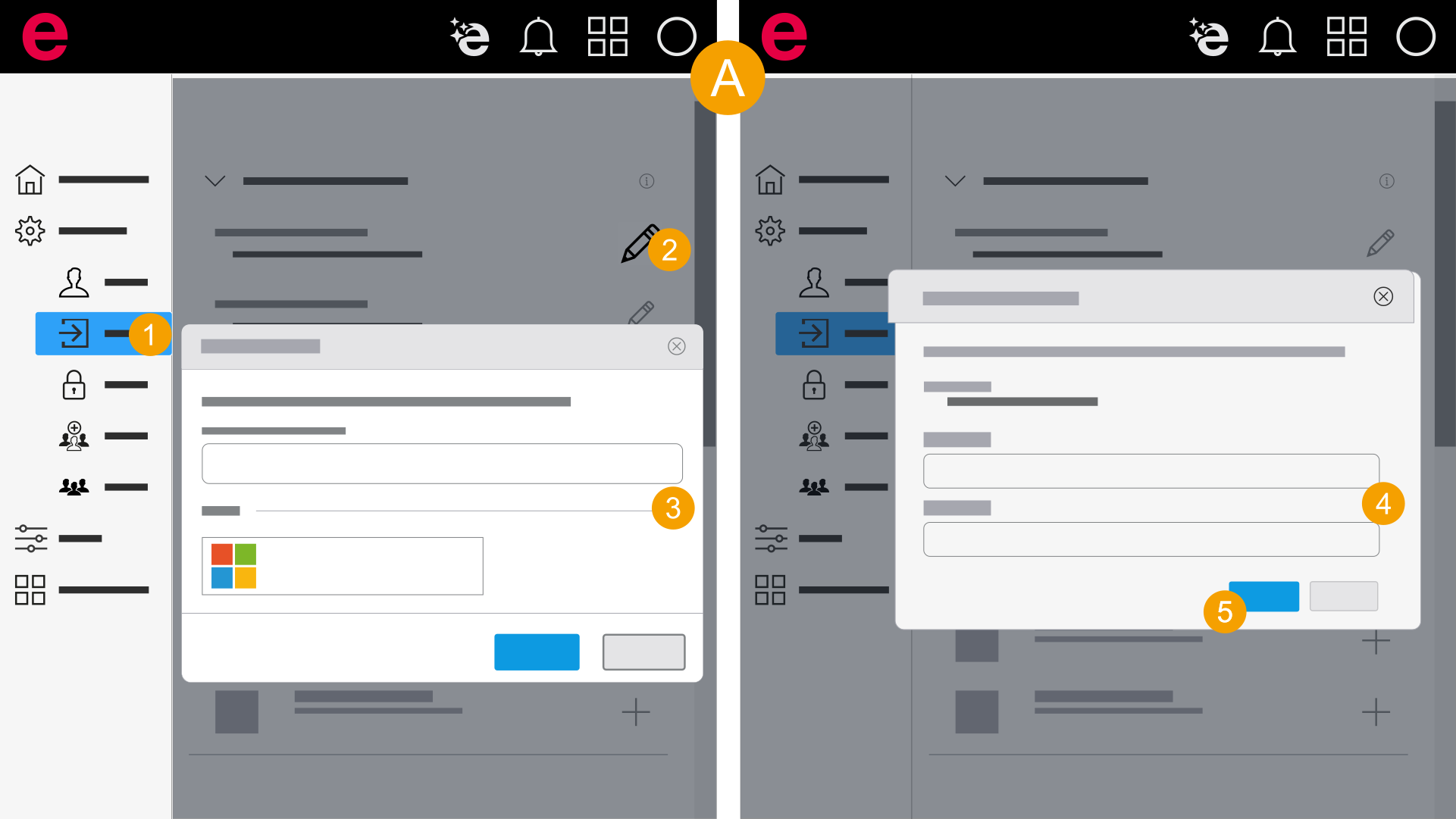
- My settings > General > Sign-in
- In the navigation bar, click General > Sign-in.
- Click the
 icon at Eplan account.
 - Enter your password or use your other account (Microsoft, Google) and click Next.
- Enter your new e-mail address twice.
- Click Confirm.
- You have changed your e-mail address.
 Change e-mail address with two-factor authentication
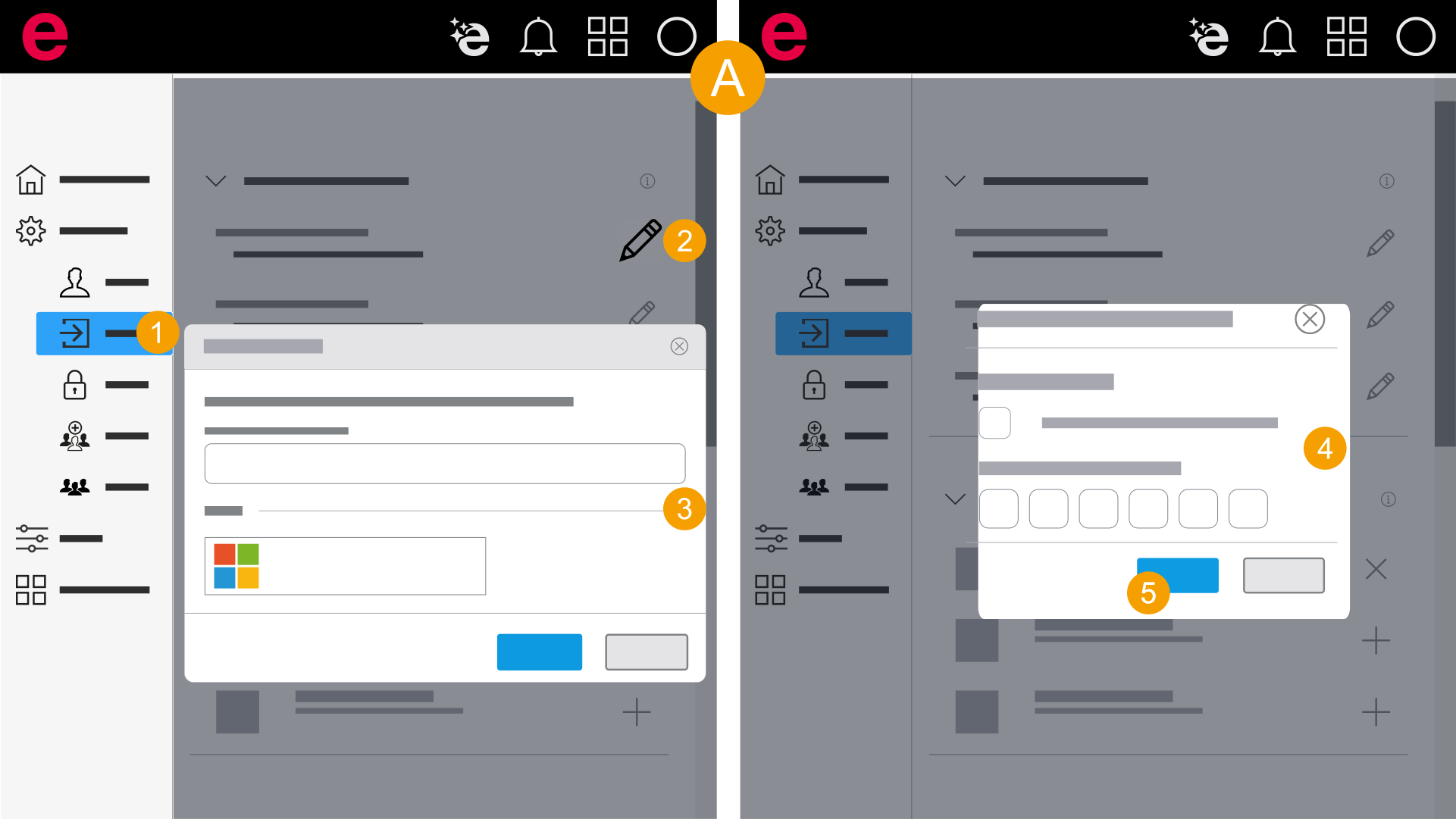
- My settings > General > Sign-in
- In the navigation bar, click General > Sign-in.
- Click the icon at Eplan account.
- Enter your password or use your other account (Microsoft, Google) and click Next.
- Enter the code that is displayed in the authentication app.
- Click Use recovery code.
- Enter the recovery code.
- Click Next.
You can also use the recovery code:
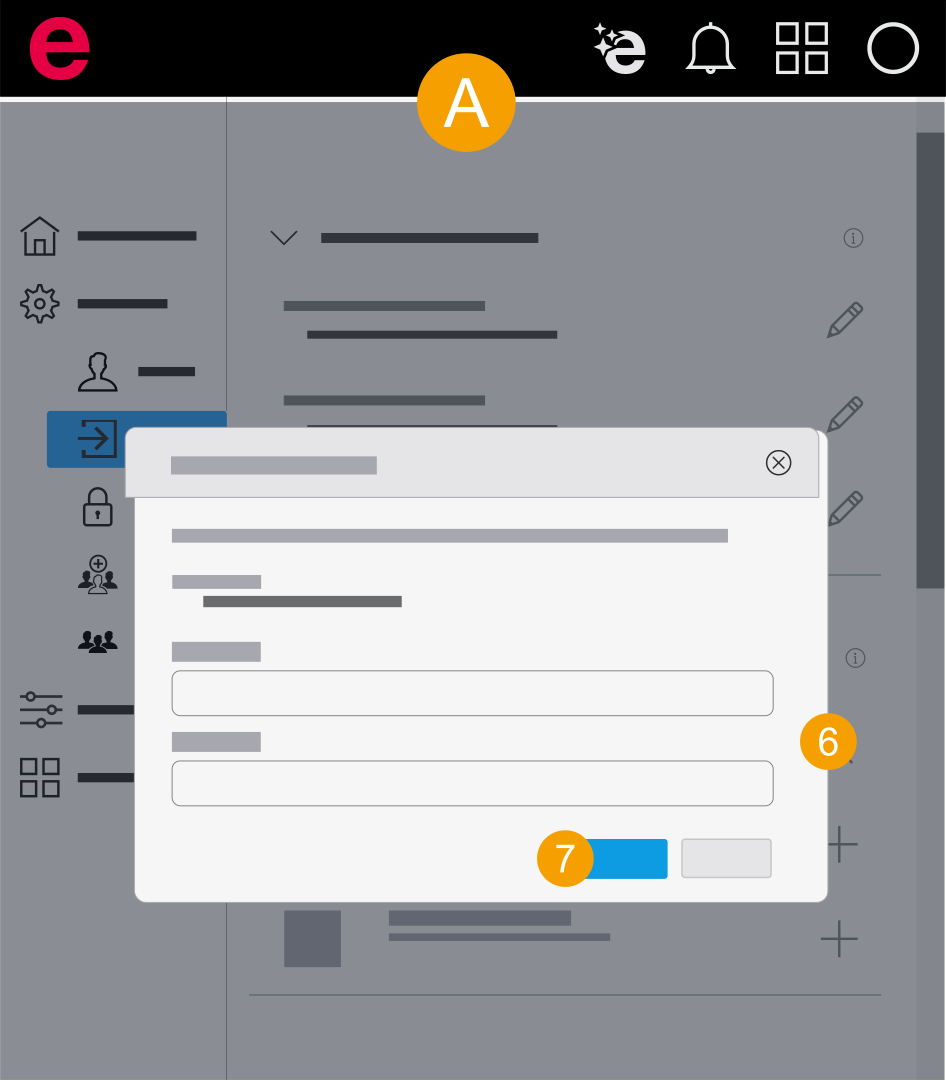
- Enter your new e-mail address twice.
- Click Confirm.
- You have changed your e-mail address.