Inbox: Basics
In the Inbox of the Eplan Cloud, you are informed about product changes and see immediately in which projects and databases the affected parts are used.
User interface
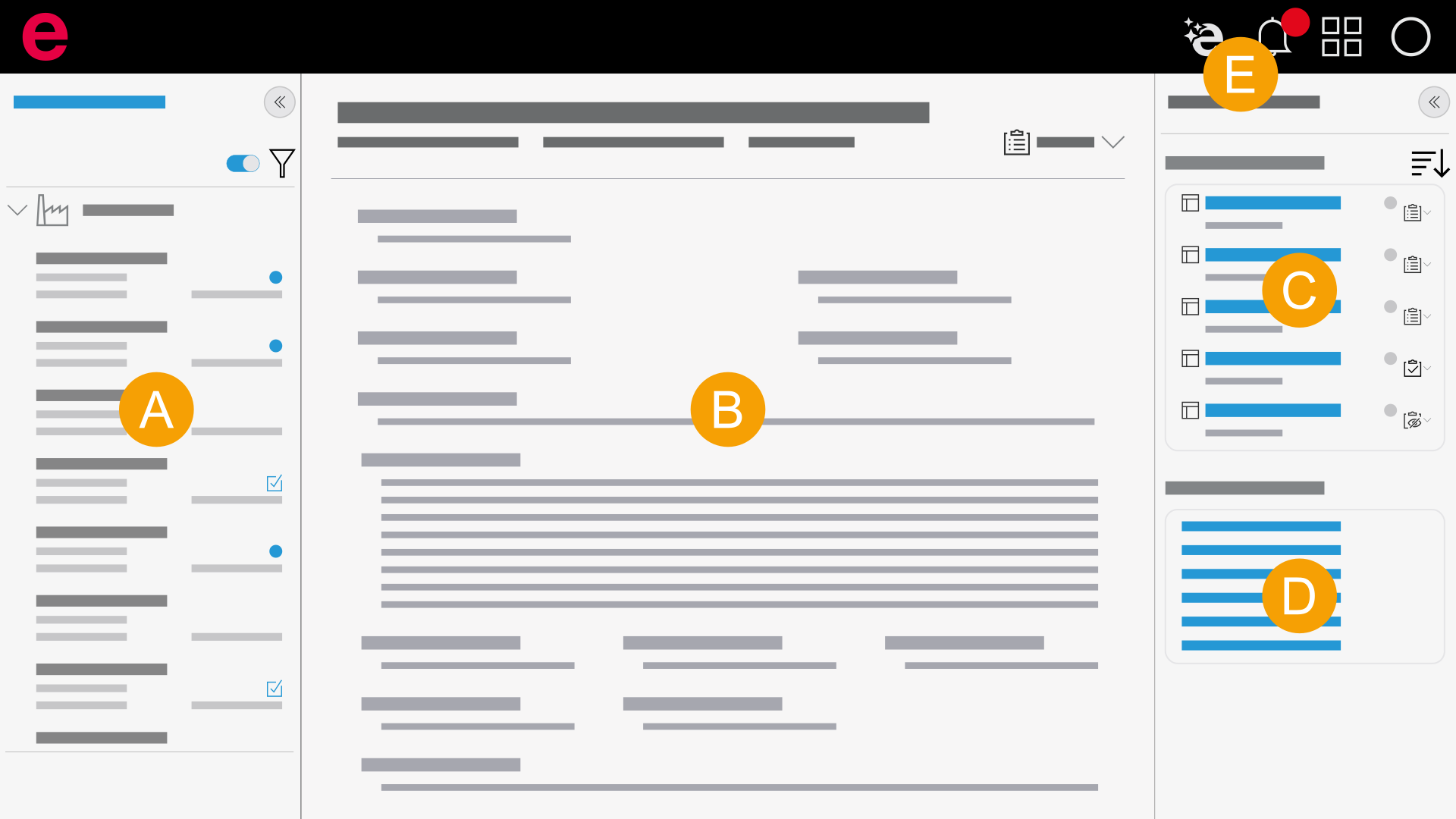
- List of product change notifications
- The content of a product change notification is displayed here. All information comes directly from the manufacturer and is therefore in English.
- Projects affected by the product change in eView.
- Databases affected by the product change.
- The product change notifications are displayed in eView and the data management.
Status of product changes
 Open: The elements affected by the product change have not been edited yet.
 Closed: You have edited all relevant affected elements in eView or the data management. If you only have open product change notifications displayed in the Inbox, closed affected items are no longer displayed in the product change notifications the next time you open them.
 Ignore: Use the Ignore status if the affected elements are not relevant for your projects: e.g., for outdated projects, or if no editing is required.